
Ceramics gallery
@michaltakac 73 views 0 likes
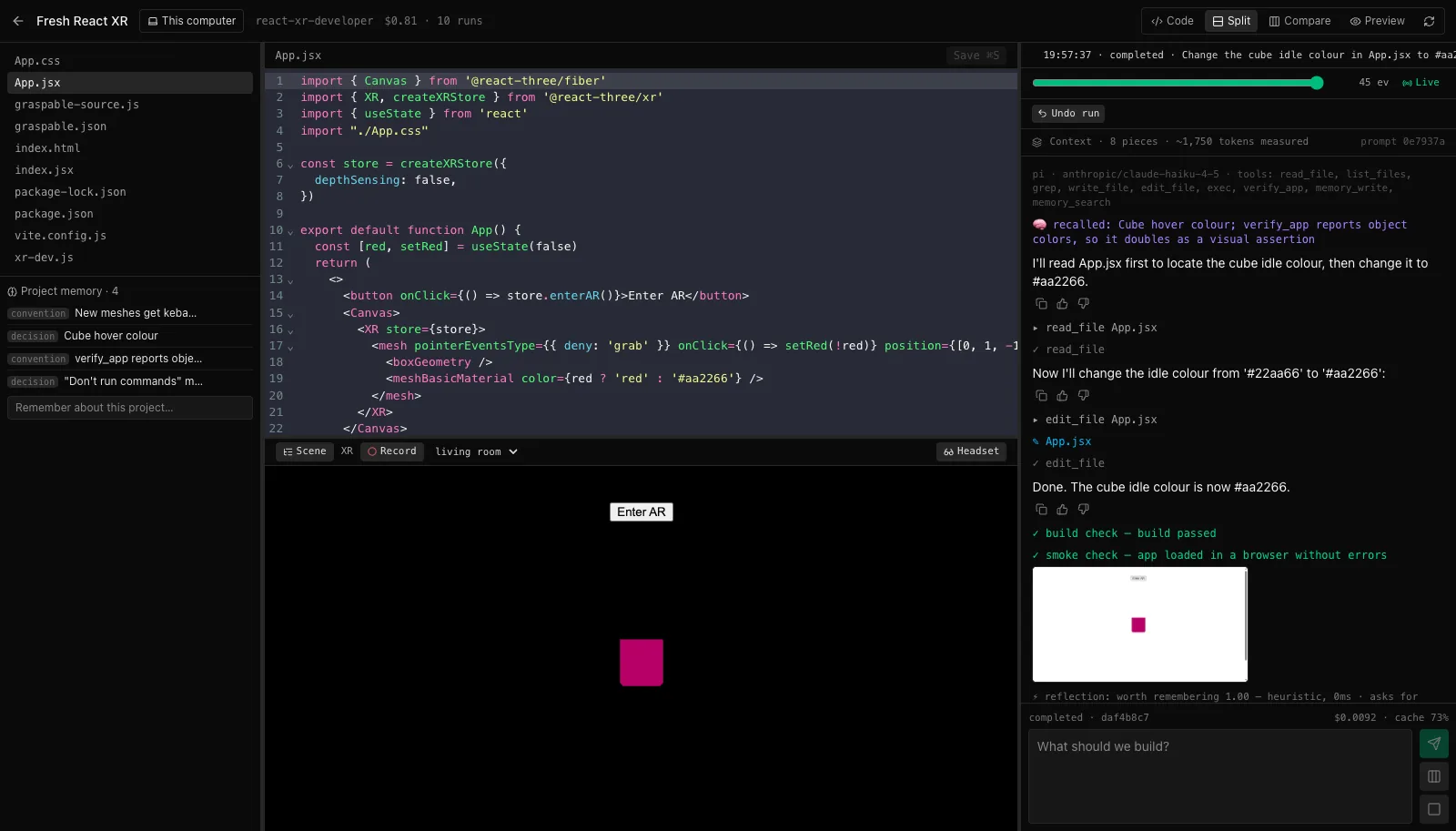
Graspable is an AI app builder for XR, VR and AR. Type or say what you want. It builds a real project on your computer, and you try it in an emulated headset before you open it on your device.
Loading the live example
Three people share one scene. An app shows each of them as a head and hands, wearing what they wear. Drag to look round. Click the chair to change its velvet. Drawn live in your browser, as a simulation. Model credits
For Windows, macOS and Linux. Free with your own AI account.
Speak a request at your desk. Talk it through while the agent works, and hear its answers. Then put the headset on and keep going: press Talk, say what is missing, and watch it arrive where you are looking.
Apps people built from a request in plain words and published. The four in front are this week's most opened and liked.
@michaltakac 73 views 0 likes
@michaltakac 291 views 0 likes
@michaltakac 225 views 0 likes
@michaltakac 200 views 0 likes
@michaltakac 184 views 0 likes
@michaltakac 233 views 0 likes
@michaltakac 157 views 0 likes
@michaltakac 156 views 0 likes
@michaltakac 57 views 0 likes
@michaltakac 219 views 1 likes
@michaltakac 135 views 0 likes
90 views 0 likes
@michaltakac 100 views 0 likes
@michaltakac 118 views 0 likes
@michaltakac 94 views 0 likes
@michaltakac 55 views 0 likes
Built something? Show it on Discord, or publish it and make it public: it appears here by itself.
Building on your computer with your own AI account stays free. A configurator, a training or a walkthrough of a real place is the kind of project studios are hired to build. A plan adds what gets one finished sooner.
Move a project to the cloud and the agent keeps working while your computer sleeps. Move it back when you like.
On every plan, paid with Credits. A new account gets 6 Credits once: an hour to try it. How it works
On larger projects the agent writes only the lines that change, finds code by what it does, and reads less build output.
With Pro and higher. How it works
Start much further along
Web, glasses and native XR
Walk through a generated world, measure a scanned real room, stage a product, start from a working game, or build an app for bare hands. Ask for a new place and it is generated for you.
Web templates with Builder and higher; native templates with Pro and higher. How it works
Share a cloud project with your team. Everyone works on the same copy, and the Credits come from one pool.
With Studio, from 3 seats. How it works
Paid plans include Credits every month. When a project needs more, buy any amount from 50 Credits. They last 12 months. Building on your own computer never uses Credits.
$0.15 to $0.20 a Credit
Builder$20 a month
150 Credits a month
Premium templates.
Pro$40 a month
250 Credits a month
Everything in Builder, native XR with Unity, Unreal Engine and Apple Vision Pro, and Fast mode.
Studio$99 per seat a month
500 Credits a month per seat, pooled
Everything in Pro, a team with shared projects, and your own cloud.
Sign in with a ChatGPT subscription, use Claude Code with your Claude subscription, or add an API key from Anthropic, OpenAI, OpenRouter and others. Local models work too. Keys live in your computer's keychain, and new models show up without an app update.
Every file change, command, check and cost is in the run. Undo a whole run with one click.
Record a session in the emulated headset. It is replayed after every change, so an interaction that worked keeps working.
Preferences and project decisions are kept as plain files. You can read, correct, pin or forget each one.
Everything runs on your computer. Move a project to a cloud sandbox to keep it running while you are away, and move it back.
Free to build with your own AI account.
What to do after installing is on the download page.
More in the documentation.
Graspable is an AI app builder for XR: virtual reality, augmented reality and mixed reality. Its desktop app turns a description into an editable project on your computer. Web projects use React Three Fiber and WebXR; native templates use Unity, Unreal Engine or Swift for visionOS and require the corresponding development tools.
Local building with your own supported AI account is free. Your provider’s charges and account limits apply. Paid plans add premium templates, publishing capacity and included Credits; you do not need a paid plan to build a free template locally.
No. You describe what you want and the agent writes the project. Web projects use React Three Fiber; native templates use Unity, Unreal Engine or Swift for visionOS. Your project files stay editable on your disk.
Yes. A microphone beside the prompt turns what you say into a request. You can also hold a conversation: the agent listens, takes your request when you stop speaking and reads its answers aloud, and a Talk button in VR or AR does the same from inside the scene. Speech is handled by ElevenLabs, on Credits with some free minutes every day or with your own ElevenLabs key.
Web projects run in supported WebXR browsers, including Meta Quest and Apple Vision Pro. Available AR modes and input depend on the device. Native templates support specific headset and phone targets. An emulated headset lets you try web scenes before putting one on.
Your project files, previews and builds stay on your computer. Your requests and the code the agent reads go to your chosen model provider, unless you use a local model. Publishing or moving a project to a Cloud Agent uploads it. Keys and sign-ins stay in your computer’s keychain.
Yes. Sign in with ChatGPT under Graspable agent. A Claude subscription can power Claude Code or the experimental Claude option within the Graspable agent, using the local Claude connection. Your provider’s allowances and extra-usage settings apply.
Web runs build the project and load it in a real browser without errors. Configured headset recordings are replayed too. Native projects use engine checks. Failed checks go back to the agent for up to three repair rounds; testing on your target device still matters.


