Speech and gaze you can edit frame by frame
Import timed mouth cues, key a character’s named bones, and let an agent make changes to the same saved take. What works today, and what our native character study taught us.
Michal Takáč 4 min read
A character's mouth can follow the recording while its eyes look somewhere else. You should be able to fix either without rebuilding the whole performance.
Graspable now imports timed mouth cues as editable facial keyframes. You can also animate a character's named bones, and ask an agent to add speech, blinks or gaze to the same saved take. The character needs those controls in its source model.
Put speech on the timeline
Open a web 3D project, choose Animate, and select the character. Use Animate this object if it does not have an animation identity yet.
Under Speech performance, import a Rhubarb mouth-cue JSON file. Map its spoken shapes to the character's actual facial controls, check the amount and start frame, then choose Check speech keys. Graspable shows how many channels and keys it will add before you apply them.
Choose Add speech keys and save the take. Scrub to a word, adjust a mouth weight, or retime a key. Undo reverses the import. Add the recording as an audio clip at the matching start frame; the cue importer does not analyze audio or generate a voice.
Existing mapped mouth channels are protected by default. Choosing replacement replaces those entire channels, including manual keys outside the new speech range. Other expressions and body channels stay as they were.
In our desktop check, a 6.56-second recording supplied 40 cues covering seven spoken shapes. The importer produced seven editable tracks with 259 keys. We checked replacement and undo in the running interface as well as testing the underlying data.
Direct a glance yourself, or ask the agent
Choose Property → Rig rotations, select a uniquely named bone and set its local angles. The saved keys use quaternion rotation. A keyed bone overrides an imported animation clip after the clip updates; other bones keep their animation. Duplicate bone names cannot be bound ambiguously.
An agent can work on the same named channels. For example:
Keep my mouth keys. Add two blinks and have the character look toward the doorway at frame 120, then back at frame 180. Read the existing take first and leave the body animation alone.
The agent can apply blink and gaze edits independently of speech. It must use the model's actual controls and respect the rig's local axes. Saved edits have revision checks and history, so a stale agent edit is refused. Your recent saved manual changes also enter the next request's context. This workflow coordinates human and agent edits; it does not add remote participant presence or simultaneous conflict merging.
A good source rig still needs a careful export
We tested the import path with Rain, a stylized Blender character. Early exports lost an eyebrow, broke the mouth during head turns, and produced dark patches on closed eyelids. Some of those files passed format validation. Looking at the rendered face caught problems a valid file could not.
The native rig uses constraints and corrective deformation that a single exported bone rotation does not reproduce. For this study we evaluated the native performance, preserved the missing mirrored anatomy, and fitted corrective positions and normals for the runtime model. We also baked the native eye maps with explicit UVs and retained the vertex colours needed for its pupils.
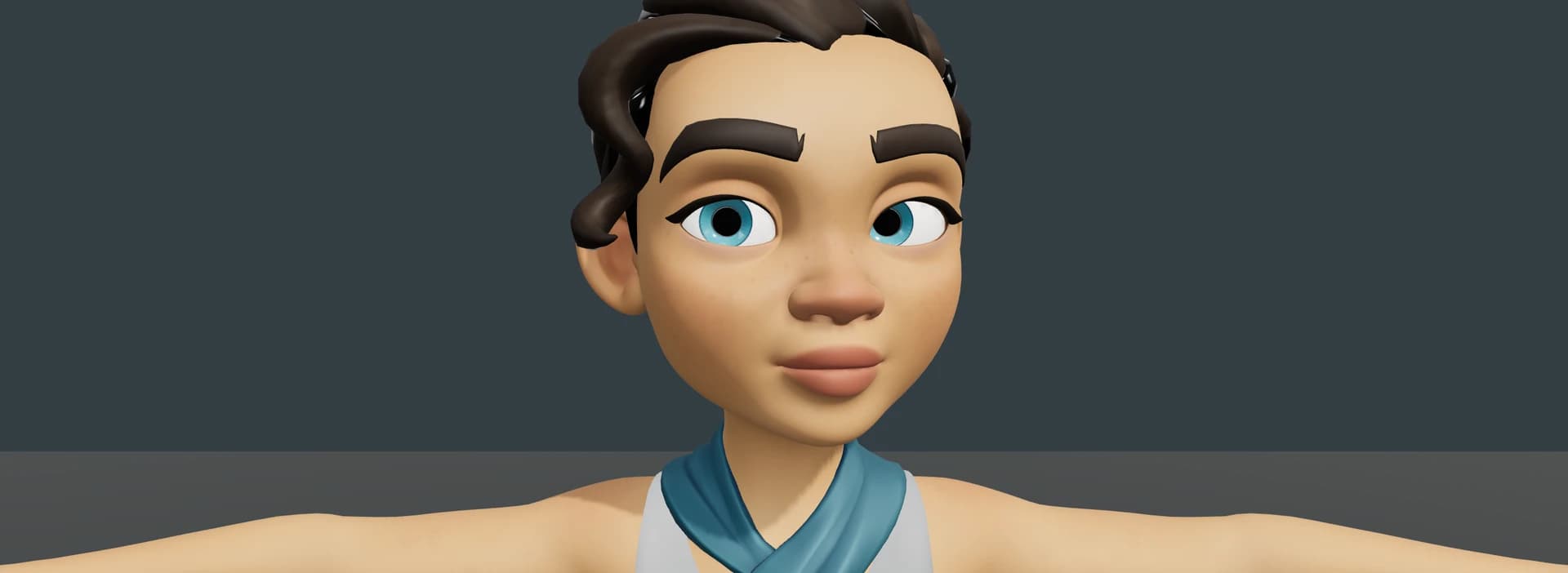
The corrected mouth, blink and head-turn poses passed our desktop visual review. This is a baked technical study of a stylized character, not an automatic converter for arbitrary rigs or a photorealistic replacement cast. Changing its skeletal performance requires rebaking the fitted corrections. The editable native source remains separate.
Rain's original rig and license are available from Blender Studio.
What still needs a headset
The authoring changes have desktop tests and browser checks. Final sustained iPhone and Quest performance testing of the new study asset is still pending. A desktop screenshot cannot establish frame rate, controller comfort or readability inside a headset.
You can already open the experimental XR authoring panel from the animation workspace, but its controller workflow still needs physical Quest checks. Hand manipulation and headset audio monitoring remain unfinished.