Make a film inside your 3D scene
Graspable brings together an animation workspace for objects, camera shots and sound, with editable scenes and films you can share on the web.
Michal Takáč 3 min read
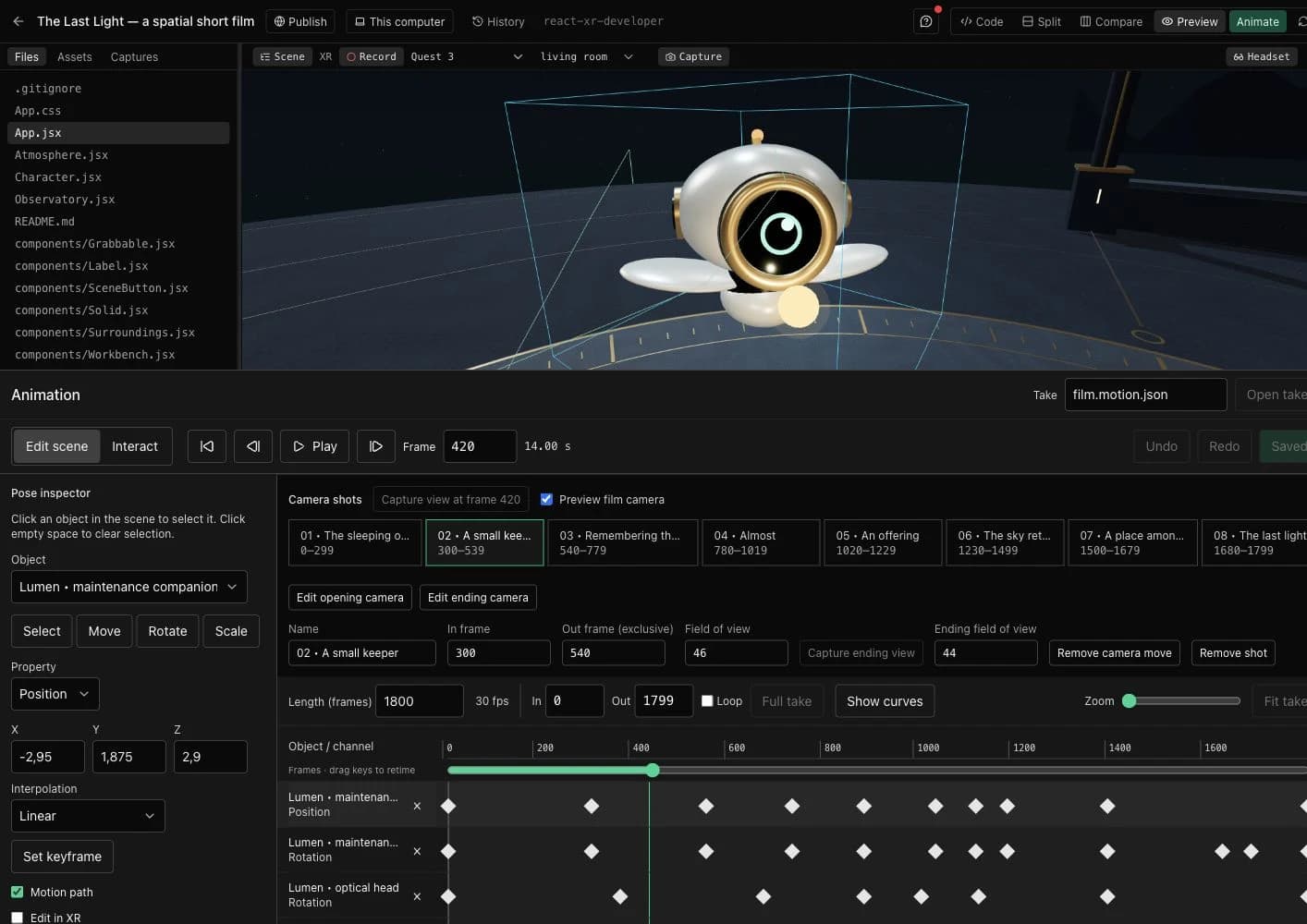
A character crosses a room. The camera waits, follows, then cuts. A light comes on just before the music changes. In Graspable, you can now edit those decisions in the scene itself.
The animation workspace brings together object selection, a timeline, camera shots, sound and export. You can ask an agent to set up a sequence, adjust it by hand, and ask for another change without starting over.
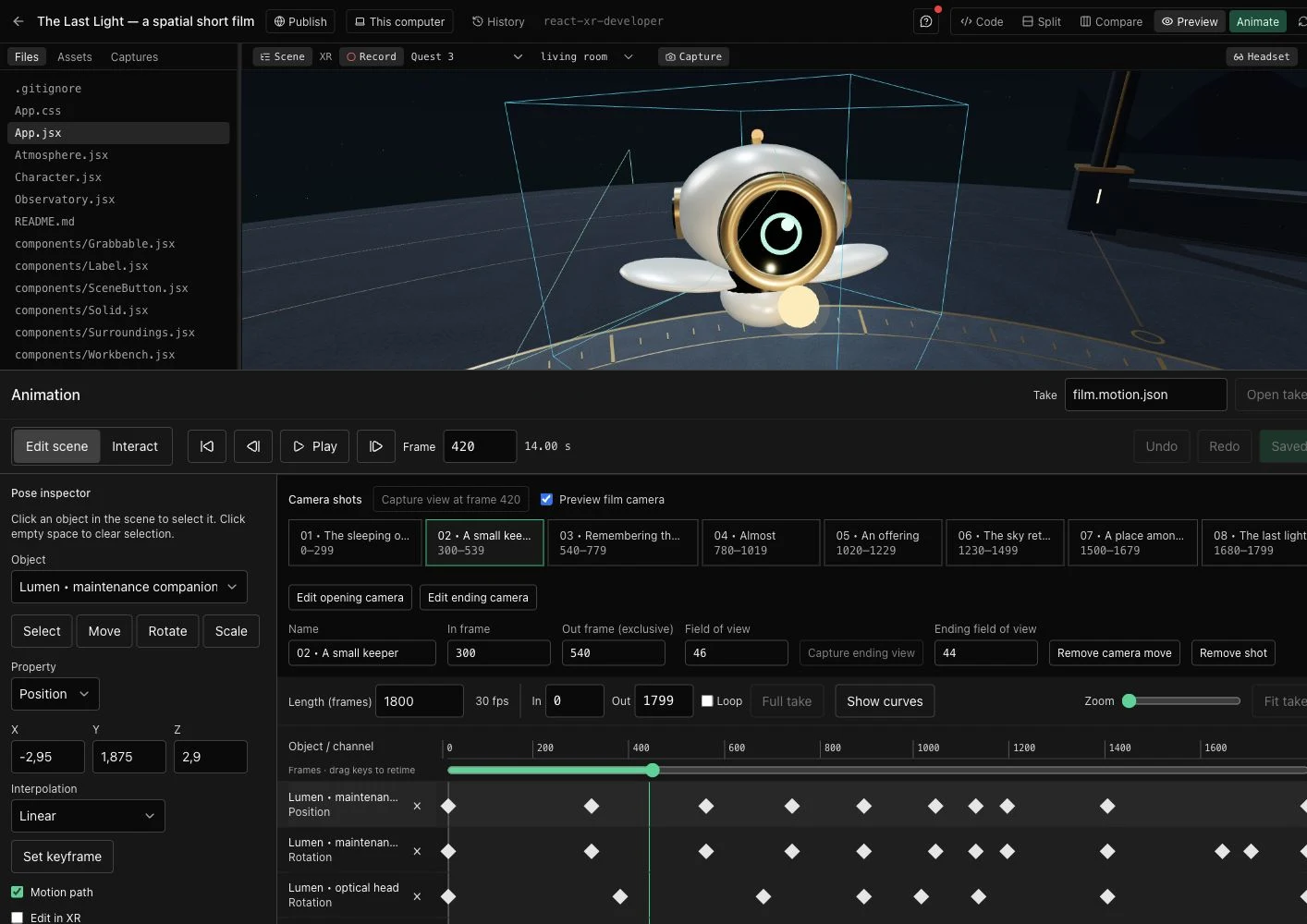
Animate the objects in your scene
Open Animate, choose Edit scene, and select an object in the preview. Move, rotate or scale it, then set a keyframe. Scrub to another frame and change its pose. The timeline shows the channels and keys; you can move keys, inspect curves, undo an edit and save the take.
A saved take belongs to your project. Before a new agent request starts, Graspable saves your open animation draft and includes recent accepted edits in the agent's context. If another edit changed the take, Graspable asks you to resolve it instead of overwriting it.
You and your agent work on the same local project. Simultaneous animation editing from different computers is still ahead.
Put the camera where the story needs it
Capture a shot from the viewport, set its length and lens, then capture an ending view to add a move. You can also look at the camera from outside, move it with handles, and check its composition in a live viewfinder.
In XR, the film camera and your head remain separate. The desktop-connected editing panel lets you position a shot with a controller and enter its viewpoint while keeping head tracking active. Physical headset comfort and hand manipulation still need more work.
Add dialogue, music or effects in Sound. Clips have source trims, volume and fades. Sound follows pauses, seeks and loops; the release also fixes sound playing beyond a selected loop range.
Watch it, or walk into it
The Last Light is a short film about a maintenance machine trying to wake an observatory. Its objects, camera shots and timing remain editable.
The Third Option is a two-and-a-half-minute spatial comedy. Two pills become three choices. Pick an ending, hide the controls, or look around the room. It uses a Gaussian-splat environment, generated characters and original dialogue. Its generated characters use basic facial animation.
Publishing an interactive project keeps the world available to explore. Exporting a rendered film produces a fixed sequence for a screen or a compatible immersive player. Graspable supports 360° and stereo delivery, plus Apple spatial-video encoding on supported Macs. Formats, browser support and export limits are listed in the film delivery guide.
Keep the work editable
Use the OpenUSD inspector to examine a scene, change properties and variants, or convert supported assets for the preview. Conversion reports identify features that cannot carry over. OpenTimelineIO exchanges shot sequences and audio references; it does not replace the scene or its animation rigs.
Agents can request bounded views and changes instead of reading an entire scene or take on every turn. Project history remains available when you need to inspect or restore earlier work.
Start with the animation guide, try the films above, or download Graspable for macOS, Windows or Linux.