Graspable 0.19.6: a Blender model in a WebXR scene, and a faster USD viewer
How the Graspable agent used a local copy of Blender to model, texture, animate and export Tidal Observatory, how the result is checked in an emulated headset, and why USD scenes now open without conversion.
Michal Takáč 6 min read
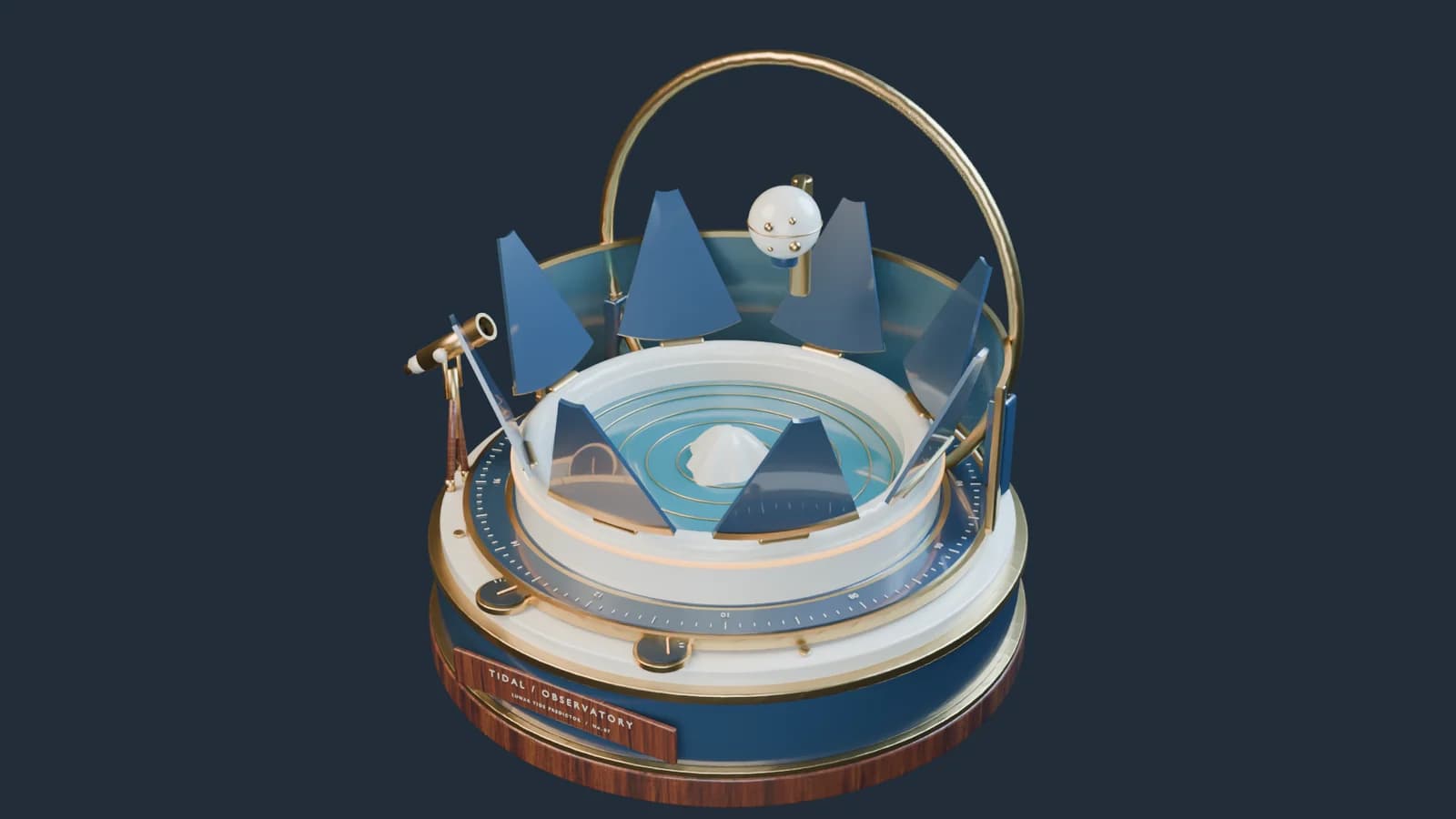
Graspable 0.19.6 is out. It opens USD scenes directly in the app, and it is the release we use to show something that already works: the agent can drive the copy of Blender on your computer, keep the .blend file editable, and put the exported model into a WebXR scene that it then checks in an emulated headset.
Tidal Observatory is the example. Open it in a browser or a headset, or continue from it to get the Blender file and the script that builds it.
One request, made in Blender
Tidal Observatory started as one request to the Graspable agent in a new React XR project. The request named the Blender program on the computer, asked for a tabletop tide instrument in brass, ivory and midnight blue, and set the limits: an editable .blend, a script that rebuilds it, a .glb with named parts and baked animation, under 150,000 triangles, and a scene that still works in VR and AR.
The agent read six Blender skills first. A skill is a short set of instructions for one kind of task; these cover Blender's Python interface as it is in version 5, materials that survive glTF export, baked animation, export settings, asset checks and lighting. They are in the skill library and you add them to a project like any other skill.
Then it wrote source/build_observatory.py and ran Blender without a window:
/Applications/Blender.app/Contents/MacOS/Blender -b --factory-startup --python-exit-code 1 -P source/build_observatory.py
The script models every part from scratch, assigns Principled materials, keys the eight aperture leaves and the orbiting moon, saves source/tidal-observatory.blend and exports public/assets/tidal-observatory.glb. Each Blender command was a step the person approves, like any other command.
After each build the agent ran the asset check from the asset QA skill inside Blender: open edges, flipped normals, scale, triangle and material counts. It also rendered review sheets from four sides, in materials and in wireframe, and looked at them before going on.
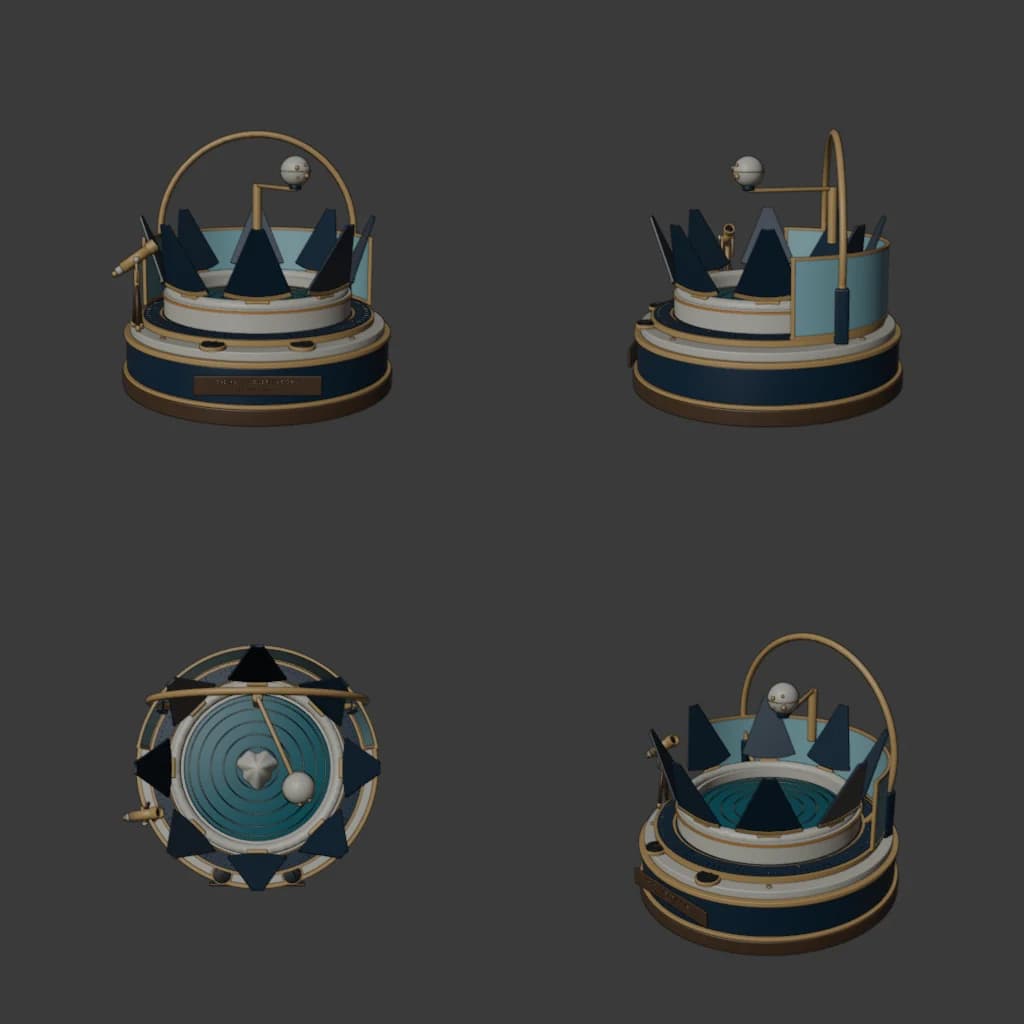
The whole first version took one run of 39 minutes: 92 steps, ten of them commands, six of them checks of the scene in the app. Two later changes made the scene you can open today. A second pass replaced the procedural brass with photographed surfaces from Poly Haven (CC0), put photographed dark wood on the base, added a clear lacquer to the blue body, and lit the scene in the browser with a photographed studio. A third request added a telescope; that one is in the film above.
A change, recorded
The film at the top is a second request on the finished scene: add a small brass telescope on a three-legged stand, aimed at the moon, built in Blender with the instrument's own materials, then checked in the emulated headset. On the left is Graspable; on the right, Blender with the project's .blend open, reloading the file each time the agent saves it.
The agent changed build_observatory.py and ran Blender. The first build failed, so it read Blender's log, found the cause in its own script and built again. Blender's asset check passed, and the telescope added 1,732 triangles and no new materials. It then tested the scene in the emulated Quest 3: aimed a controller at the instrument's Close aperture button, pressed it, pressed it again and looked at the telescope from above to see that its legs stand on the plinth. The run took ten minutes.
The scene changed, so the headset recordings saved with the project no longer matched. Graspable flagged that difference and asked whether to keep the new scene as the reference for later checks, rather than accepting it by itself.
The Blender file stays yours
Nothing is locked inside a model file. source/build_observatory.py is ordinary Blender Python, so you can read why each part has its size, change a number, and ask the agent to rebuild. You can also open source/tidal-observatory.blend in Blender and edit it by hand. The README the agent wrote says which is the source: a hand edit in the .blend is overwritten by the next rebuild, so keep it, or move it into the script.
With the telescope, the exported model has about 90,500 triangles and 9 materials, with two animations: the aperture (1.6 seconds) and the moon's orbit (24 seconds). The scene plays them from the .glb, so what moves in the browser is what was keyed in Blender.
Checked in an emulated headset
A Blender render does not show how a scene behaves in a browser or a headset. So after export the agent checks the real page. Every Graspable project carries an emulated Meta Quest 3: the agent loads the built scene in it, points a controller at a button, presses it and reads what changed in the scene. The run ends only when the build passes and the page loads without errors.
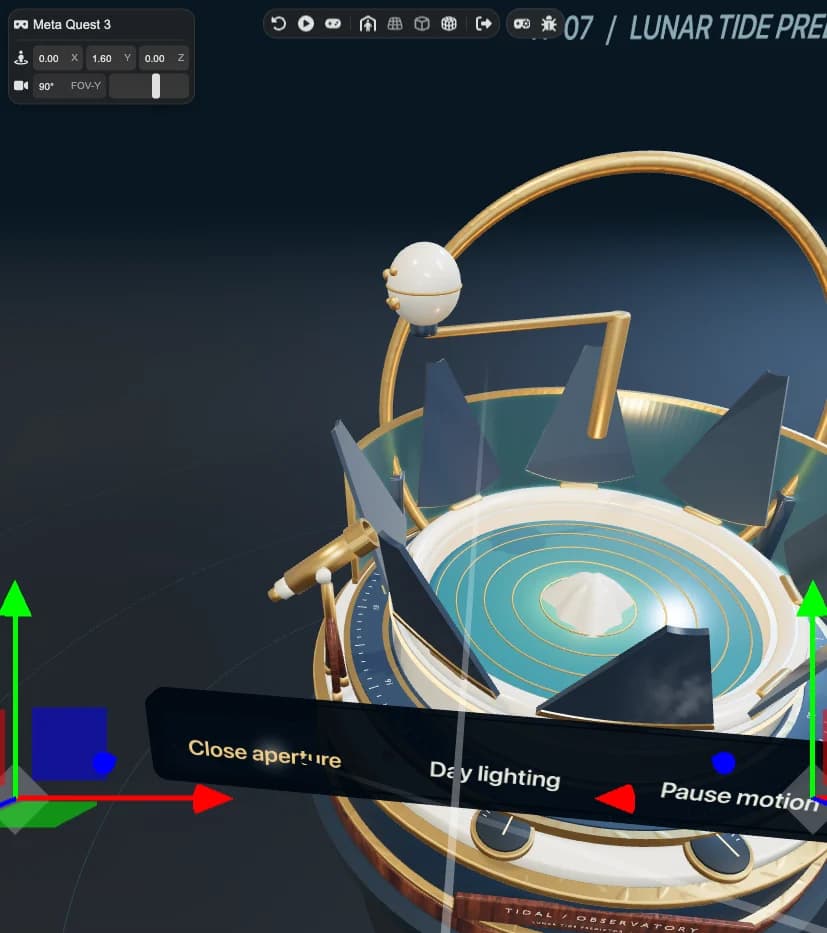
The emulator answers whether the scene runs, loads its model and responds to a controller. It does not tell you how the scene feels on your head or how fast it runs on the headset's chip. For that, open the published address on the headset itself.
USD scenes open directly
0.19.6 also changes how the app shows OpenUSD scenes. Until now, opening a .usd, .usda, .usdc or .usdz file in the Assets tab converted it to a glTF model first, with the OpenUSD runtime that comes with Graspable, and showed nothing where that runtime was missing.
The app now reads the scene itself with @huggingface/usd-web-viewer, Hugging Face's OpenUSD viewer for the web. It composes the USD layers in WebAssembly with the openusd Rust library and draws them with three.js, in a worker so the app stays responsive. Graspable hands it the scene and every file the scene refers to, so references, payloads and textures resolve as they do on disk. A SimReady fire extinguisher or pallet from NVIDIA's library opens in about half a second. The viewer's source is in the huggingface.js repository, under the MIT licence.
The viewer does not play animation or skeletons yet. When a scene has a time range, the app says so and offers Play its animation, which opens the converted preview as before. Editing USD, layers and export are unchanged; they still use the official OpenUSD libraries.
Also in 0.19.6
- Copy buttons for installer checksums and crypto payment details confirm only after copying worked, and show the full text to copy by hand when the browser blocks the clipboard.
The full list is in the changelog. The app updates itself; new installs are on the download page.