Lessons students can step into
Three lessons made in Graspable that students open from a link: a solar system they pick up, chime bars they play with their hands, and a guided tour through a generated greenhouse.
Graspable 3 min read
A diagram on a slide asks a student to imagine something. A model they can pick up, turn and open asks much less of them. XR has been good at this for years, but making a lesson meant learning a game engine first. In Graspable a teacher or course designer describes the lesson, an agent builds it as a web project, checks that it runs, and the class opens it from a link in a headset or a browser.
These three lessons were each made that way, and each can be opened and continued from.
A solar system you can pick up
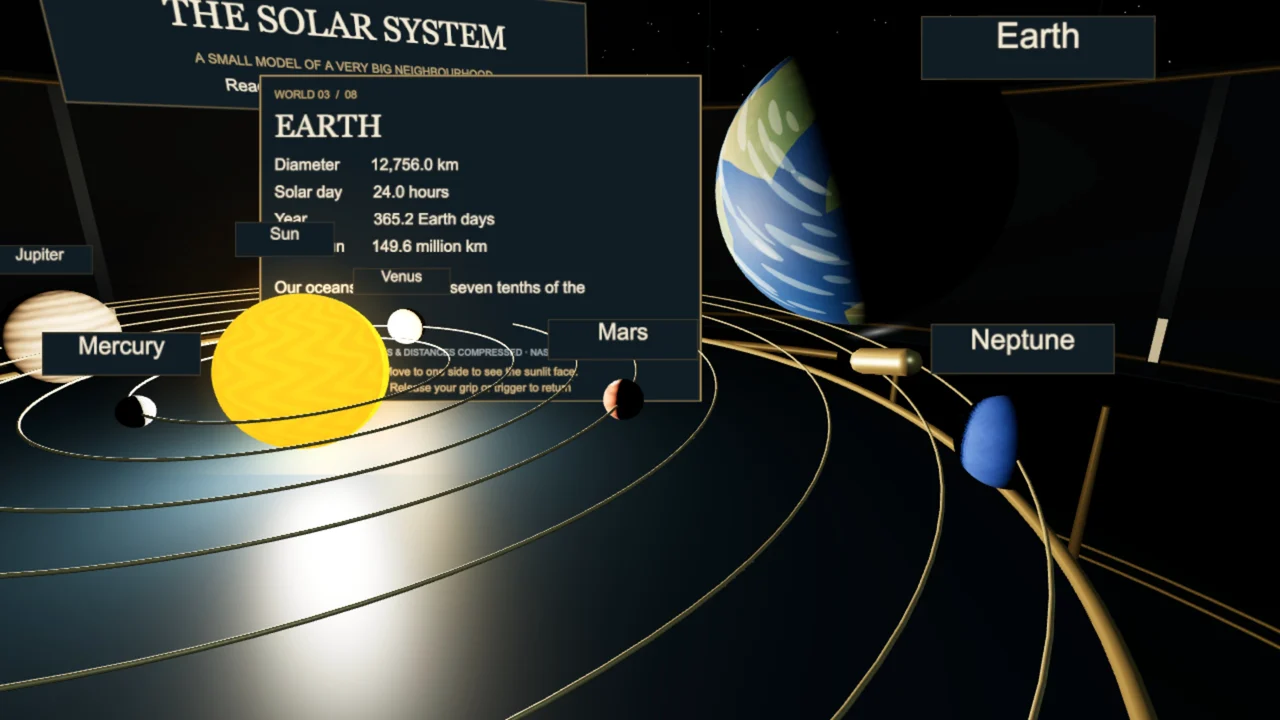
Planets circle the Sun on brass rings in a quiet planetarium. Grab one and its lesson card opens beside it: diameter, length of a day and a year, distance from the Sun. Let go and it returns to its orbit.
The request that built it describes the room, the rings and what each card says. Changing the lesson is another request: add the moons, translate the cards, or end with three questions.
Chime bars for bare hands
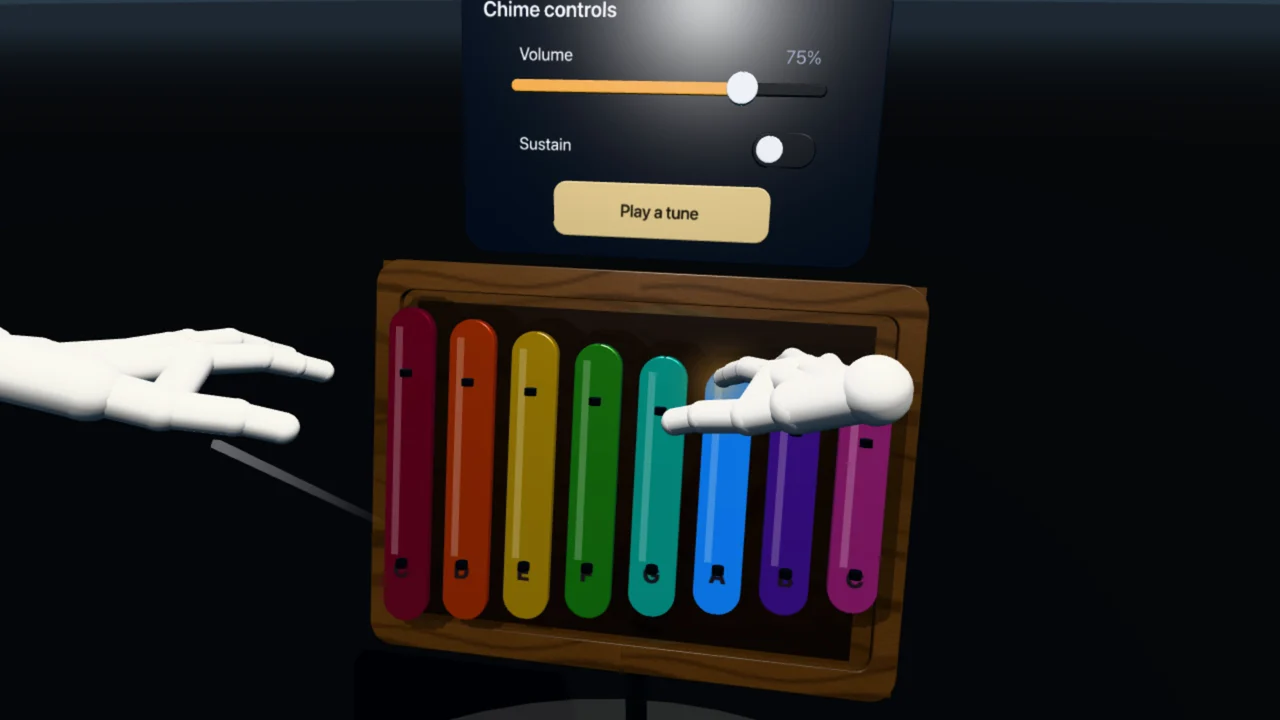
Eight coloured bars on a walnut frame. Touch one with a fingertip and it dips, glows and rings its note. A small panel above holds a volume slider and a button that plays a tune. With hand tracking there is nothing to hold, which makes it a good first lesson for people who have never worn a headset.
A guided tour with stops
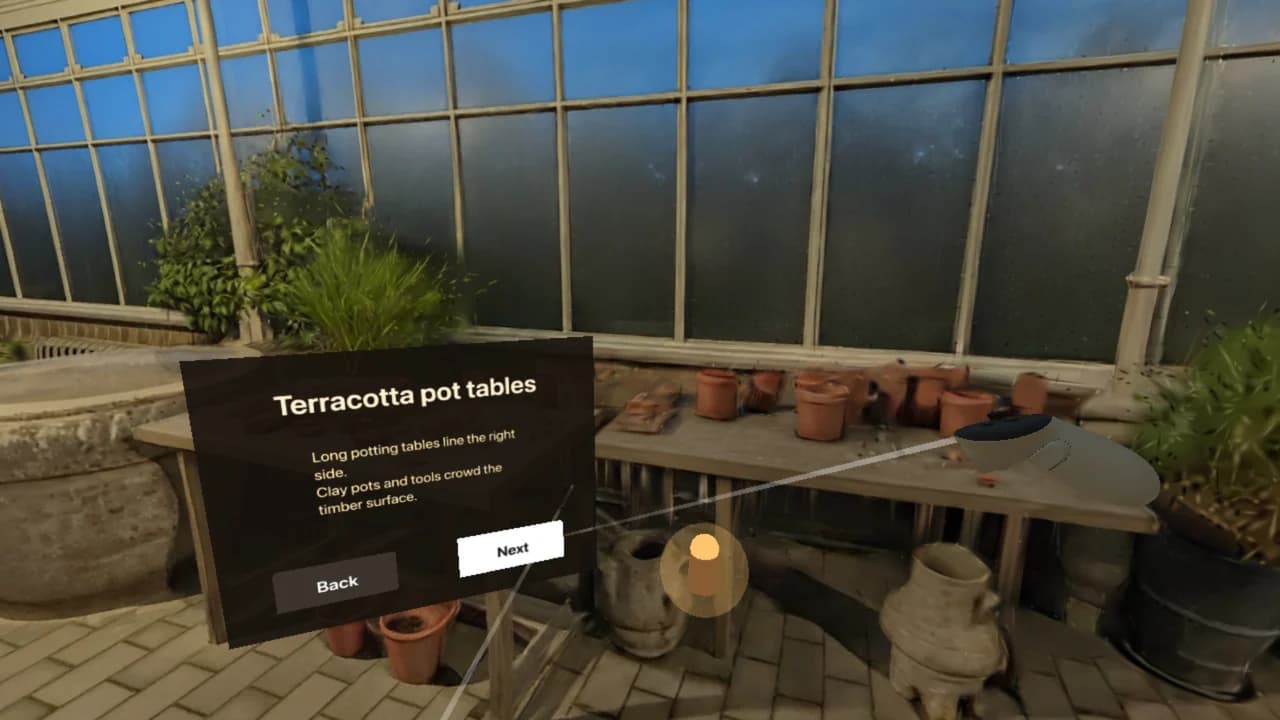
A five-stop walk through a generated Victorian greenhouse at dusk. Each stop has a plate with two lines of text, and Next takes the group on. The same structure carries a field trip, a tour of a historic building or a walk through a process.
Using this in a class
- One link for everyone. Publish a lesson and it has its own address. It opens in Meta Quest and other headsets through the browser, and on school computers without a headset.
- Try it without a headset first. The preview in Graspable has an emulated headset, so you can walk through the lesson at your desk before class.
- It stays yours. The lesson is a project on your computer. You can change it, copy it for another class, or hand it to a colleague.
- Free to start. Building with your own AI account costs nothing, and the React XR template is free.
The education page collects these and the templates that suit lessons.