XR training for industry, by describing it
Five working examples of XR training and operations apps made in Graspable: a guided pump shutdown, a machine start-up console, a gearbox design review, a technician work-order panel and pick-by-vision for a warehouse.
Graspable 4 min read
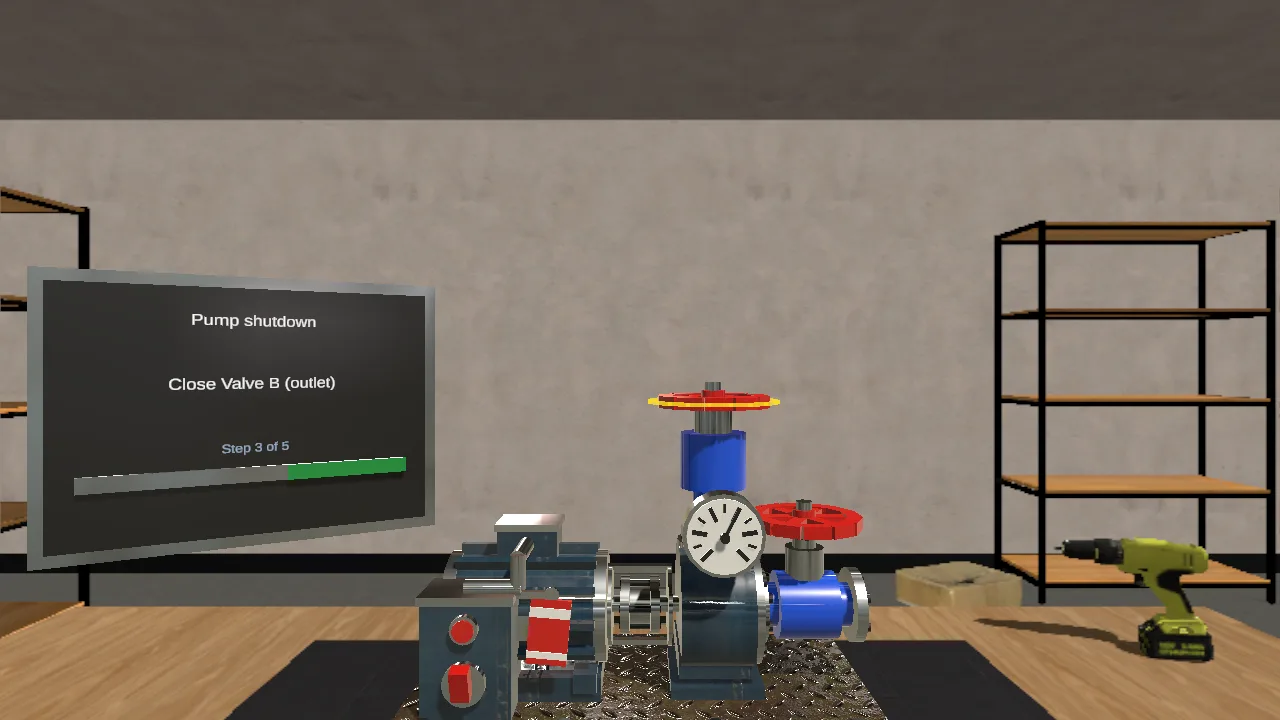
Most industrial XR projects start with the same request: show a person how to do a procedure at the machine, or let them practise it before they touch the real one. Building that used to mean a specialist studio and months of work. In Graspable you describe the procedure, an agent builds it as a real Unity, Unreal or web project on your computer, checks that it runs, and you try it in the editor's play mode or a headset.
These five examples were each made that way. Every one is published with its source, so you can open it and continue from it in your own copy.
A guided shutdown of a pump unit
A five-step maintenance procedure in mixed reality. The step card says what to do, the part to act on glows, and the unit answers: the motor slows when it is switched off, the gauge drops when the valve is closed. The next step waits until the current one is done.
This is the shape of most work instructions: a fixed order, one part at a time, and a clear sign that a step is done. The same structure works for a lockout procedure, a filter change or a first inspection.
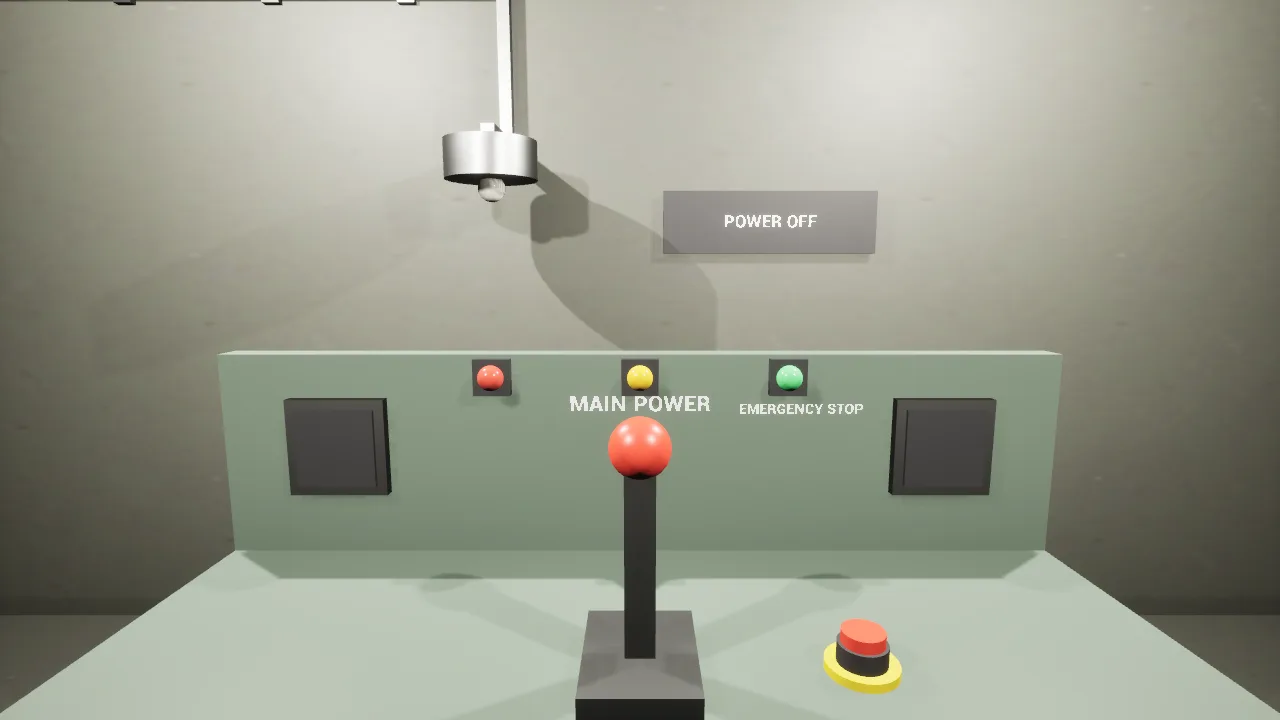
A machine start-up station
A plant-room console for training new operators, built in Unreal Engine. Pull the main power lever down and the work lamp comes on and the sign changes to read POWER ON. It is small on purpose: one action and an answer from the room is often the first thing a trainee needs to practise.
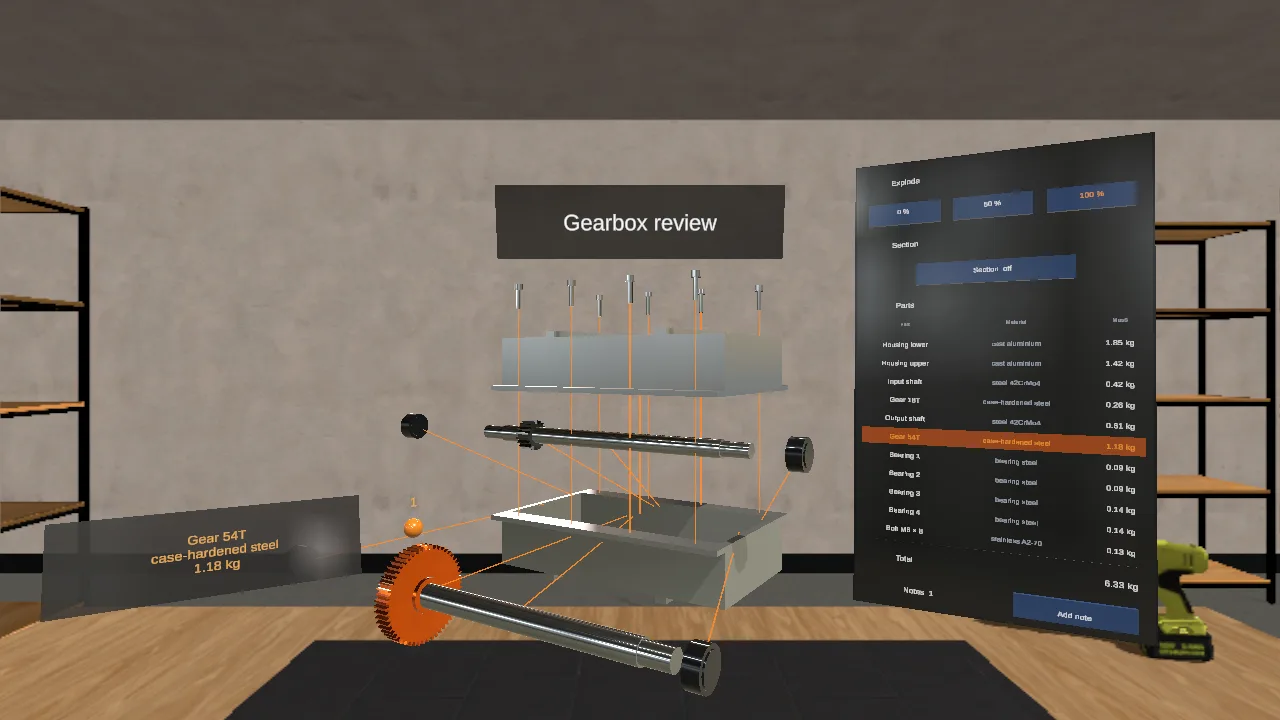
A design review of a gearbox
A gearbox at real size that comes apart. Explode it, cut it open, select a part to read its material and mass, and pin notes to it. Engineering teams use this kind of tool to look at an assembly together before anything is machined, and the same project is a good onboarding model for people who will service it.
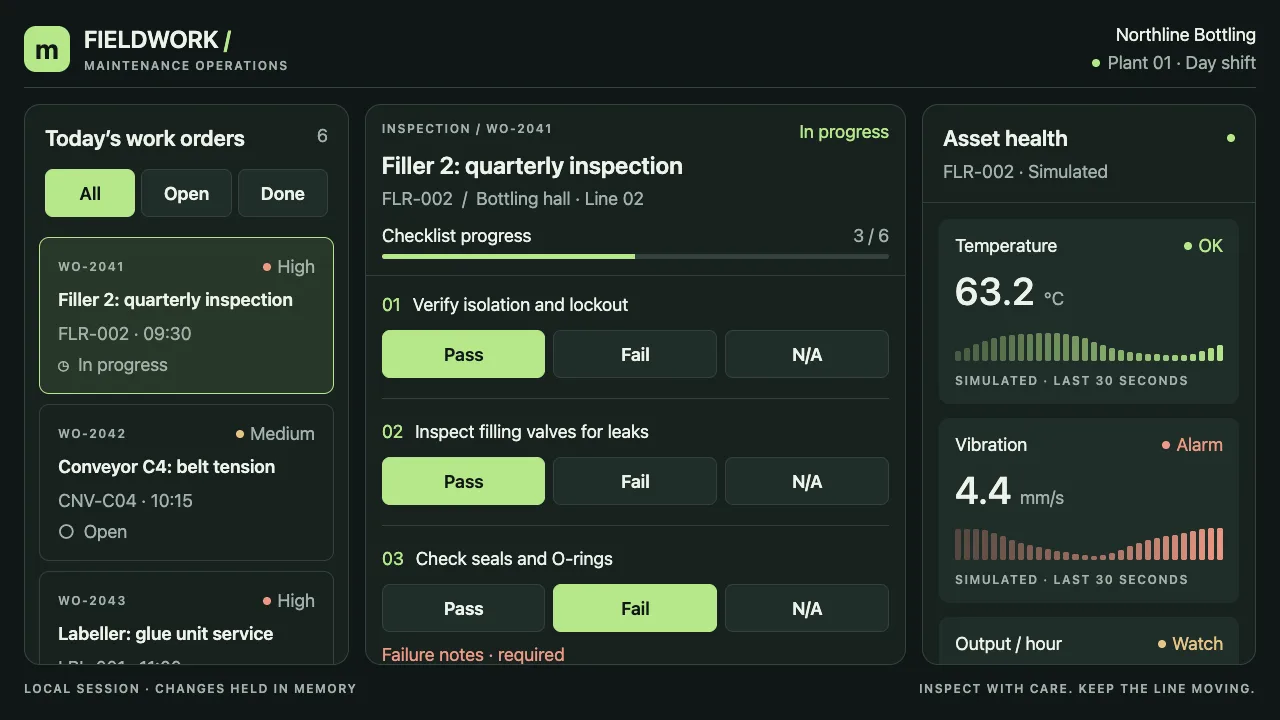
A work-order console for technicians
A panel that floats beside the machine: pick a work order, answer its checklist with Pass, Fail or N/A, watch the asset's readings, and sign off. The readings in the example are simulated and labelled so. In a real deployment they would come from your own systems through an API, which the agent can connect when you give it the address.
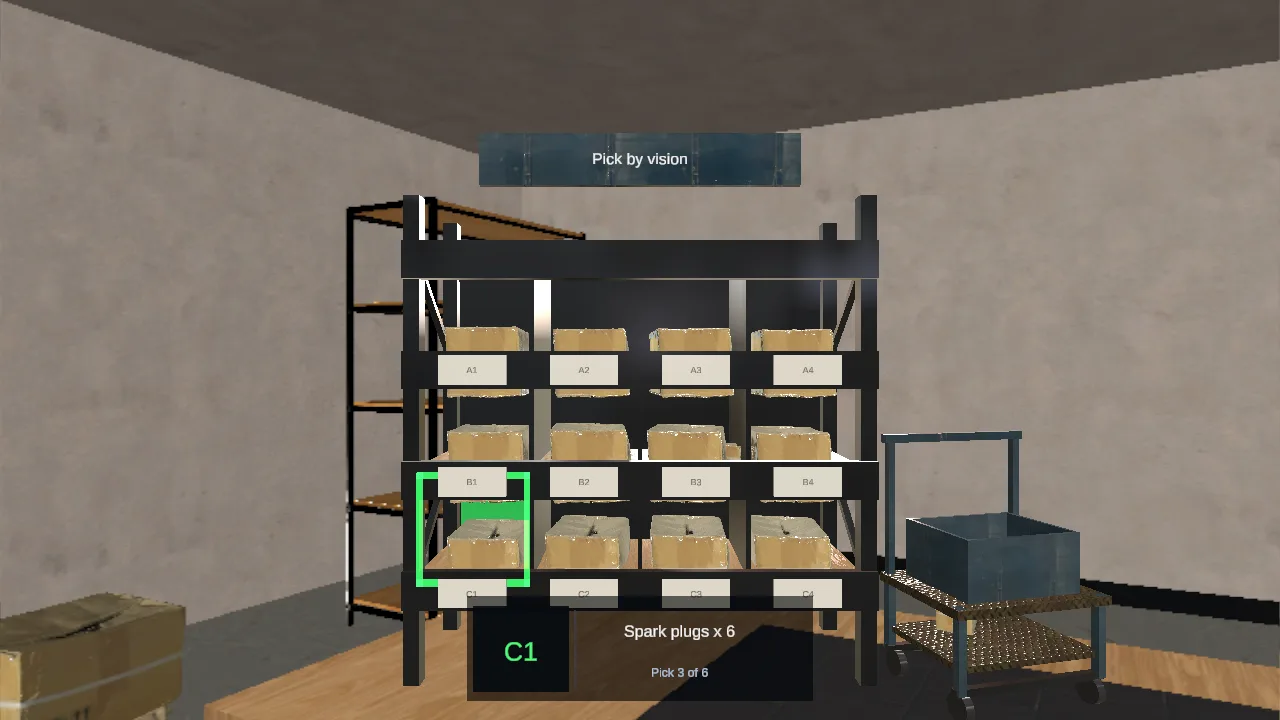
Pick by vision for a warehouse
On AR glasses the view is narrow, so the next pick stays on a strip in the middle of it, the right bin lights up, and a pinch confirms the pick and moves to the next one.
What this means for a training team
- You own the project. It is a normal Unity, Unreal or web project on your computer, with its history. Your developers can open it in the engine and change anything by hand.
- Changes are a sentence. "Add a step that checks the pressure is below 1 bar before the valve opens" is a request, not a ticket.
- It is checked before you see it. A run ends only when the project builds and runs. For Unity and Unreal that means the engine's own build and a picture from play mode.
- It runs where your people are. Meta Quest, Android XR and XREAL glasses through Unity, high-fidelity rooms through Unreal, and anything with a browser through WebXR.
Native engine templates come with the Pro plan, and Graspable uses the Unity or Unreal Engine already installed on your computer. If you want to talk about a training programme, the industrial training page has the details and a way to reach us.