Performance of Gaussian splats in WebXR: what we measured and what we chose
Load time, memory and frame time of two 500,000-splat worlds in Spark, measured on a laptop and in an emulated headset, not on a real one, and the defaults we chose for our templates and why.
Michal Takáč 8 min read
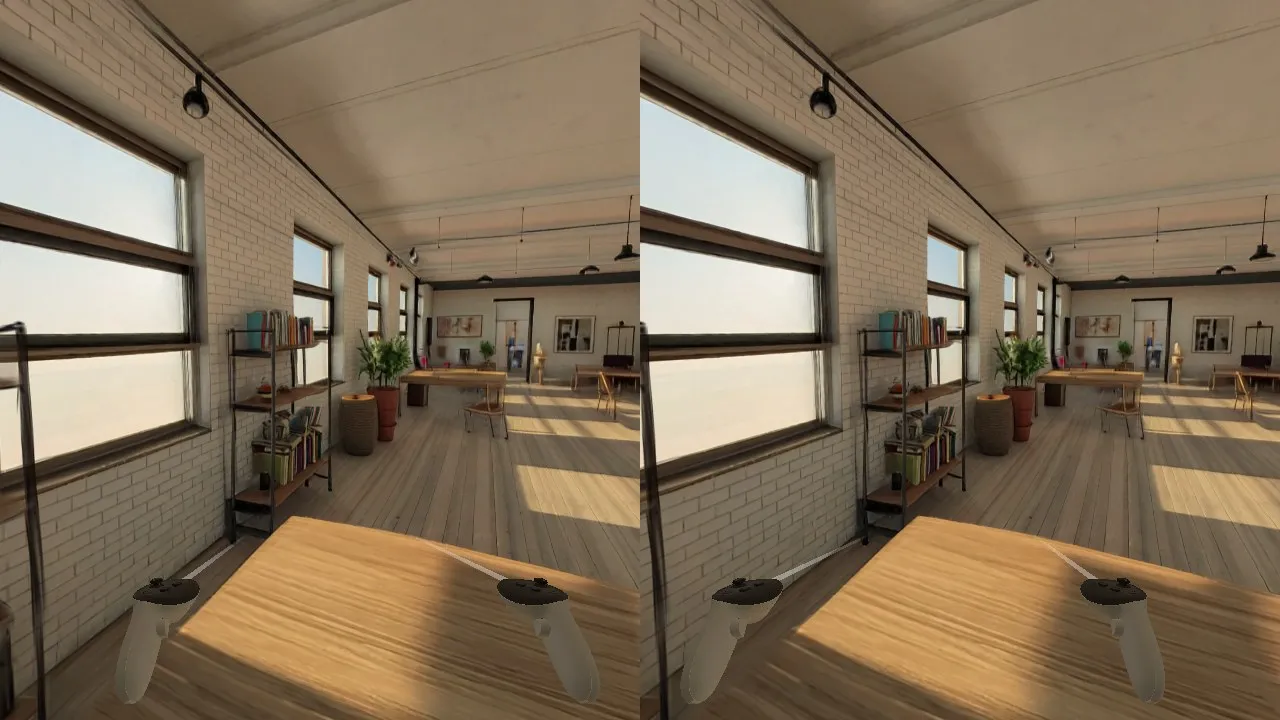
Our world templates show a generated place as 500,000 Gaussian splats, drawn with Spark. Before shipping them we measured what that costs and picked defaults. This article gives the numbers, how they were taken, and what they do not tell you.
The most important sentence comes first. Nothing here was measured on a real headset. Everything was measured on one Apple M1 Max, in headless Chrome and in the emulated headset. Where a default is meant for a headset, it rests on Spark's published guidance, and we say so.
What was measured, and how
- Machine: Apple M1 Max, headless Google Chrome, with the development server on the same machine. Files come from the local disk, so download time is close to zero.
- Worlds: the loft and the tavern that ship with the templates. Each is 500,000 splats in a 7.5 MB
.spzfile, with a preview of 98,304 splats in 1.2 MB. Their collider meshes have 102,206 and 217,939 triangles. - Frame time: 90 frames drawn back to back. After each one we read a single pixel back, so the call returns only when the GPU has finished. That is the full cost of one frame, CPU and GPU, on this GPU. From run to run it varies by about 1 ms, so smaller differences mean nothing.
- "Quest-sized" means a drawing buffer of 4128 x 2208 pixels: as many pixels as both eyes of a Quest 3 at its panel resolution, drawn as one view. It stands in for the cost of filling pixels and nothing else. A phone-class GPU is many times slower than an M1 Max, and a real headset draws two views.
- Load time: from the start of navigation until the full 500,000-splat world is on screen.
- Memory: Chrome's JavaScript heap. GPU memory was not measured.
Load time
For the loft:
- The 100,000-splat preview alone is on screen after 0.6 s.
- The 500,000-splat world with level of detail off: 0.7 s.
- The 500,000-splat world with level of detail on, as shipped: 1.9 to 2.0 s. For the tavern, 2.1 to 2.2 s.
About one second of the shipped figure is Spark building the level-of-detail tree: 0.94 to 0.99 s for the loft and 0.99 to 1.0 s for the tavern, by Spark's own log line.
Memory
JavaScript heap after loading the loft:
- 84 MB with only the 100,000-splat preview,
- 100 MB with the 500,000-splat world and no level of detail,
- 135 MB as shipped, with level of detail. The tree holds 695,685 splats.
The tavern as shipped, with the game running, used 149 to 152 MB.
So level of detail costs about one second at load and 35 MB of heap for a world of this size.
Frame time
Median of 90 frames, with the 90th percentile in brackets.
At 1280 x 720:
- Loft, as shipped: 4.4 ms (5.3), with 441,551 splats drawn.
- Tavern, as shipped: 4.0 ms (5.3), with 374,931 splats drawn.
- With the budget lowered to 300,000 splats: 3.6 ms (4.7) for the loft and 3.6 ms (5.0) for the tavern.
At the Quest-sized 4128 x 2208:
- Loft, as shipped: 6.9 ms (8.4), with 484,095 splats drawn.
- Tavern, as shipped: 7.5 ms (9.2), with 465,916 splats drawn.
- With the headset settings, a budget of 500,000 and a Gaussian cut-off of
Math.sqrt(5): 7.3 ms (9.0) for the loft and 5.7 ms (8.1) for the tavern. - With a budget of 300,000 and the same cut-off: 7.1 ms (8.7) and 6.7 ms (8.6).
- Loft with level of detail off, all 500,000 splats drawn, in an earlier run: 6.5 ms (7.7).
- Loft with only the 100,000-splat file, in an earlier run: 4.4 ms (5.5).
In the emulated headset, in stereo, in a 1280 x 720 window with the head turning, all three templates held the browser's 60 Hz frame interval: a median of 16.7 ms and a 95th percentile of 17.0 to 18.5 ms. Spark drew 203,000 to 254,000 splats there, because its level-of-detail selection follows the low resolution of the emulator window.
What the numbers say
On this GPU the frame time hardly depends on the number of splats between 150,000 and 500,000. It follows the number of pixels: 4.4 ms at 0.9 megapixels, 6.9 ms at 9.1 megapixels. Lowering the splat budget from 500,000 to 300,000 at the large size changed the loft's frame time by less than the run-to-run variation.
That matches how splats are drawn. Each one is a transparent shape blended over what is behind it, so the work is in the pixels. See Gaussian splats, explained.
It also means this machine cannot tell us how a Quest will do. A fast desktop-class GPU hides exactly the costs that limit a mobile one. So the defaults below lean on Spark's guidance for headsets, and the list says which ones do.
The defaults we chose
- The 500,000-splat file. Spark's performance guide recommends 1 million splats or fewer for a Quest 3, and its own level-of-detail budget for a Quest is 500,000. The 500,000-splat export from World Labs fits that without tuning. We do not use the larger full-resolution export. Rests on Spark's guidance.
- The small file first. The preview is on screen after 0.6 s here, and the full world needs about 2 s, half of it the level-of-detail build. That build will take longer on a headset's processor. Measured here; the headset part is an expectation.
- Level of detail on. It keeps any world inside the device's budget, including a larger file or two worlds at once, and draws fewer splats where they are smaller than a pixel. With a 500,000-splat world and a 500,000 budget it removes few splats: 484,095 of 500,000 were drawn at the Quest-sized resolution. So turning it off with
<World lod={false}>is a fair choice for a single world of this size if load time matters more. Measured here. - Spark's per-device splat budget, unchanged. That is 500,000 in a Quest. If a headset drops frames, lower
lodSplatScale; 0.6 gives 300,000. Rests on Spark's guidance. - Gaussian cut-off:
Math.sqrt(8)on a flat screen andMath.sqrt(5)in a headset. Spark's guide recommends the second value for VR. We could not tell them apart in frame time on this GPU. Rests on Spark's guidance. - Antialiasing off. Spark's guide says multisampling does not improve splats and costs a lot. Not measured here.
- Flat-screen pixel ratio of at most 1.5. Frame time follows the pixel count, and the cap stops high-density laptop and phone screens from drawing four times the pixels. The value 1.5 is a judgement, not a measurement on a weak device.
- Headset resolution: the headset's own recommended size, with no frame buffer scaling set. Not measured.
- Fixed foveation at its strongest. Fewer pixels are shaded at the edges of each eye. It cannot be measured in the emulator.
- One sort for both eyes. Spark's default is a radial sort from the head position, which stays stable when the head turns.
- Exactly one Spark renderer per canvas. Two would sort and draw every splat twice.
In code, all of this is a few lines in lib/spark.js of each template:
export const GL = { antialias: false, powerPreference: 'high-performance' }
export const DPR = [1, 1.5]
export const XR_OPTIONS = { depthSensing: false, foveation: 1 }
export const SPARK = { enableLod: true, lodSplatScale: 1 }
export const MAX_STD_DEV = { flat: Math.sqrt(8), xr: Math.sqrt(5) }
Things that cost nothing per frame
- The collider is prepared once at load. Moving its vertices into metres and pressing its floor flat took 11 to 20 ms for 51,524 and 109,138 vertices. After that it is one fixed triangle mesh in the physics engine.
- The light for added meshes comes from rendering the world into an environment map once after loading, not every frame.
Both are described in How our world templates work.
Known limits
- No headset measurement. Before you promise a frame rate on a Quest 3, measure on one.
- Distance. A generated world is sharp near the point it was generated from and blurs with distance. In the loft, the far end of the room, about 14 m away, is visibly smeared.
- Stereo was checked in the emulator only, with a 64 mm eye distance. Splats and meshes line up in both eyes.
How to measure your own scene
On a real headset, the method in our guide A performance budget for WebXR on Quest 3 applies unchanged: decide the frame rate, find out whether pixels or geometry are the limit, change one thing, measure again. With splats the two controls that matter most are:
// lib/spark.js: fewer splats
export const SPARK = { enableLod: true, lodSplatScale: 0.6 }
// App.jsx: fewer pixels in the headset, as an experiment
const store = createXRStore({ ...XR_OPTIONS, frameBufferScaling: 0.7 })
If lowering the splat budget does not help and lowering the resolution does, you are limited by pixels, as we were on the laptop.
To open a project on your headset from Graspable, use the preview. For the renderer itself, read Spark: the renderer behind our splat templates. The templates are described in Templates and the worlds in Generated worlds.
Sources
- Our own measurements of 2 October 2026, as described above
- Performance tuning, Getting started with level of detail and SparkRenderer, Spark documentation
- Export file specs, World Labs
- Performance, @react-three/xr