How our world templates work
The layer shared by Splat World, World Explorer and World Game: one World component, raw units to metres, the collider as a physics mesh, a flattened floor, light from the splat, walking, throwing, and how the agent switches worlds.
Michal Takáč 9 min read
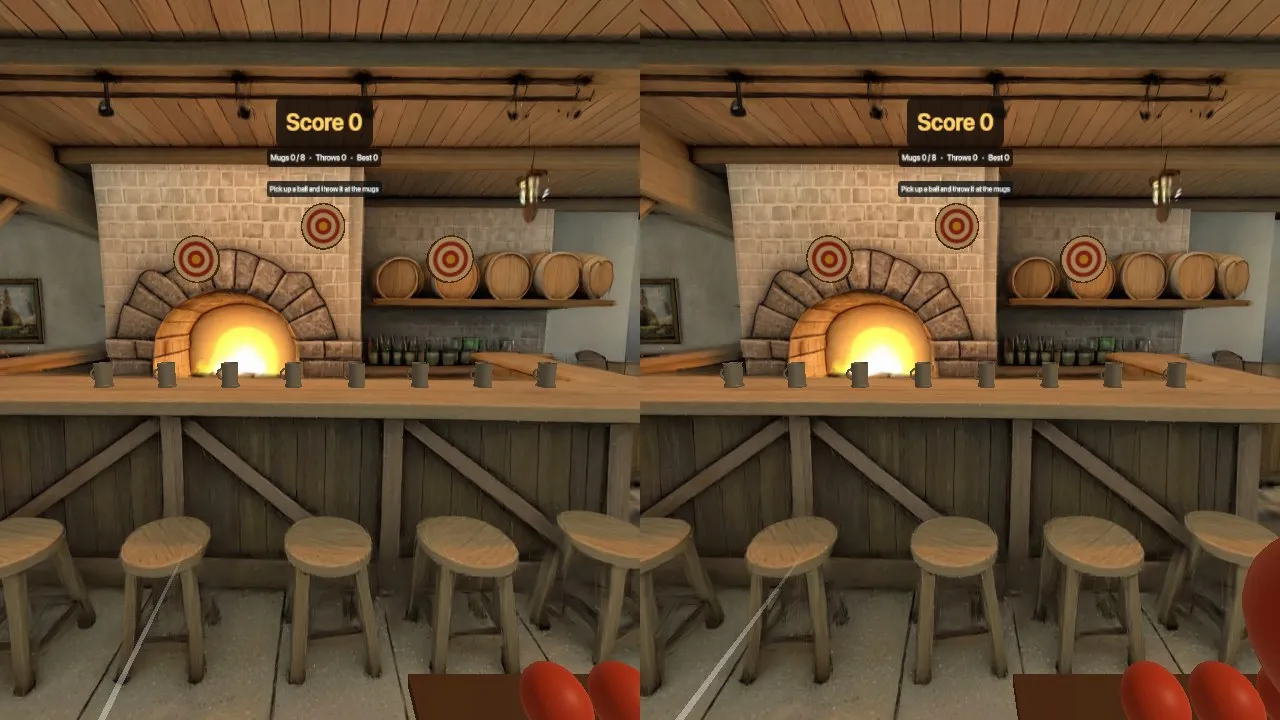
Splat World, World Explorer and World Game look different, but they stand on the same few files. This article walks through that shared layer: what a generated world is on disk, how it becomes a place at real scale that you can stand in, and the problems we met on the way.
It assumes you know what a Gaussian splat is. If not, start with Gaussian splats, explained.
One component
A world is a folder in the project, public/worlds/<name>/, generated by World Labs Marble. It holds the splats in two sizes, a collider mesh, a panorama and world.json. In the scene it is one component:
<Physics gravity={[0, -9.81, 0]} timeStep={1 / 60} interpolate>
  <World name="loft">
    {/* everything that lives in the world goes here */}
  </World>
</Physics>
<World> does four things. It shows the small splat at once and swaps in the large one when it is ready. It puts the splat at real scale, upright, with the floor at y = 0. It turns the collider into one fixed physics body named "world". And it mounts its children only when the collider is in place, so nothing you put in the world falls through the floor on the first frame.
Children ask the world questions through a hook:
const { info, loaded, raycast, heightAt } = useWorld()

// The height of the first solid surface below a point: 1 m up finds the floor
// even under a table, 2 m up finds table tops and counters.
const y = heightAt(0.3, -3, 1.4)
Both functions cast a ray against the collider with the physics engine, never against the splat.
From raw units to metres
A generated world has no fixed unit and its y axis points down. World Labs returns two numbers with each world and documents how to use them: metric_scale_factor converts raw units to metres, and ground_plane_offset puts the ground at y = 0. The same page says the files use an OpenCV-style frame and that Marble's own viewer applies a half turn around the x axis.
For our loft the numbers are 2.378 and 1.389 m. For the tavern, 2.237 and 1.577 m. The offset is the height of the point the world was generated from, above its floor.
In lib/world.js the whole conversion is one transform, applied to the group that holds the splat:
/** What to set on a group that holds raw world content (the splat, the collider mesh). */
export function worldTransform(info) {
  return { position: [0, info.floorOffset, 0], quaternion: [1, 0, 0, 0], scale: info.scale }
}

/** A raw point [x, y, z] (as in the .spz or collider.glb) → metres in the scene. */
export const toMetres = (info, [x, y, z]) => [x * info.scale, info.floorOffset - y * info.scale, -z * info.scale]
Scale, flip, lift. Because the scale is uniform and sits on the parent group, it scales the positions of the Gaussians and their sizes together, which is what World Labs' note asks for. The collider is in the same raw frame and gets the same matrix, so the two always agree.
After this, [0, 0, 0] is the spot on the floor under the point the world was generated from, looking along -z. Everything the agent places is in plain metres.
The collider as a physics mesh
A splat has no surfaces. The collider is a coarse triangle mesh of the same place; World Labs' export specs describe it as optimised for simple physics, with 100 to 200 thousand triangles. Ours have 102,206 and 217,939.
<World> loads it, moves every vertex into scene metres, and hands the result to Rapier as one triangle mesh on a fixed body:
<RigidBody type="fixed" colliders={false} name="world">
  <TrimeshCollider ref={ref} args={[vertices, indices, rapier.TriMeshFlags.FIX_INTERNAL_EDGES]} friction={friction} restitution={restitution} />
</RigidBody>
The FIX_INTERNAL_EDGES flag is there so that things roll and slide over the seams between triangles without bumps. The mesh is never drawn, except as a wireframe when you pass showCollider to see what is solid.
Flattening a lumpy floor
The first thing we saw with the raw collider: its floor is not flat. In the loft it was up to 0.3 m above the floor you see. Anything standing on it would float above the visible floor.
flattenFloor in lib/world.js presses it flat. The idea, in three steps:
- Look only at triangles that lie within 0.4 m of y = 0 and face upwards.
- Join those triangles into connected patches. A patch counts as floor if it contains triangles that are nearly level and within 6 cm of y = 0, where the visible floor is.
- Move every vertex of a floor patch to y = 0.
Furniture, walls and anything reached only over a steep face keep their shape, because a steep triangle does not join patches. A short clean-up pass catches the few low vertices that sliver triangles leave standing. It runs once at load and took 11 to 20 ms for our two worlds on a laptop.
It is on by default. For a world whose ground really slopes, such as hills, <World flatFloor={false}> leaves the collider as it came.
A collider made from a single viewpoint
The second limit cannot be pressed flat. The collider only knows what could be seen from the point the world was generated from. Space that was hidden from there is filled in solid. Behind the loft's worktable and behind the tavern's bar, the collider simply continues at table and bar height.
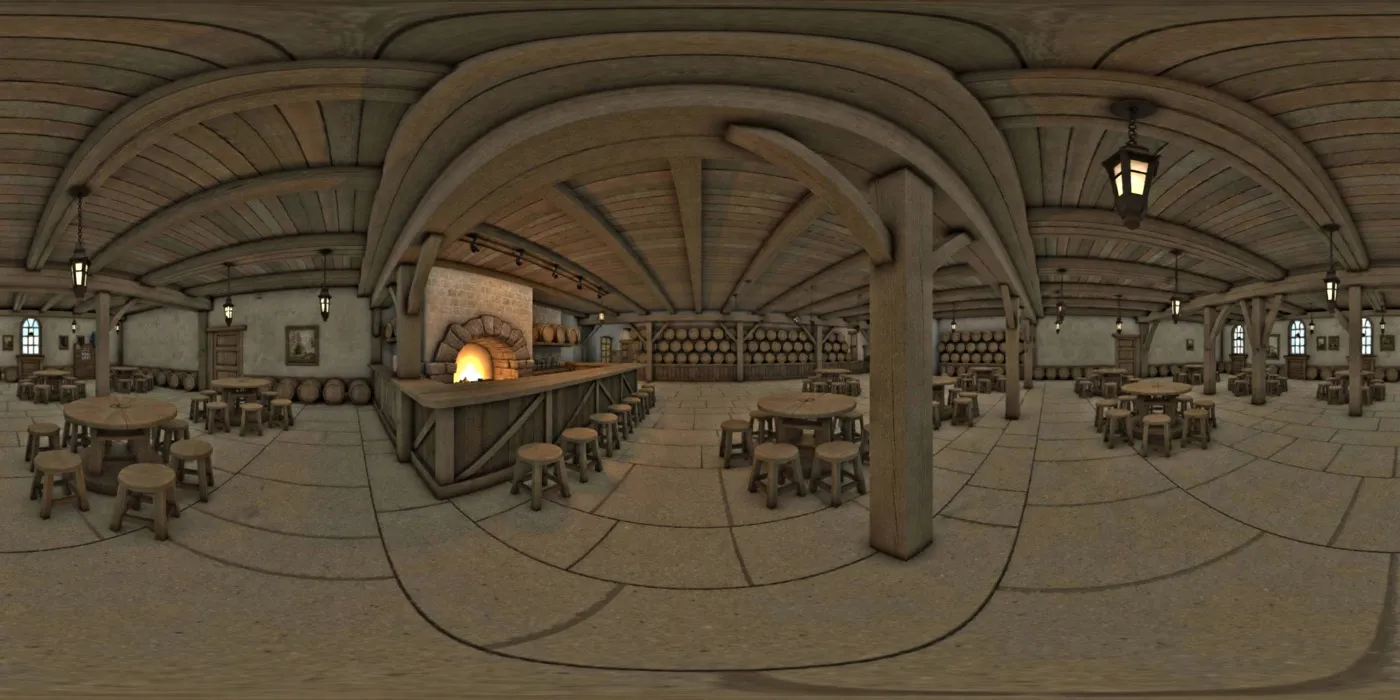
We did not try to repair this. We designed around it:
- The game happens within sight of [0, 0, 0]. In World Game you stand in the aisle and throw at the bar; nothing needs to fall behind it.
- World Explorer has a
rangethat fences the walk to the part of the world that looks good and collides well. - Surfaces are a few centimetres off, so a row of mugs does not stand straight on the raw bar top. The
Ledgecomponent finds the highest point of the collider along a line and lays a level, invisible board there. The mugs stand on the board.
Lighting added meshes from the splat
Lights do nothing to a splat. Its light is baked in. But a red ball with flat lighting in a warm tavern looks pasted on.
WorldLight asks Spark to render the world into an environment map from a point you choose, once, after the splat has loaded:
map = await spark.renderEnvMap({ scene, worldCenter: new Vector3(x, y, z), hideObjects, update: true })
scene.environment = map
Meshes with a standard material then pick up the colours of the place. The templates add one soft directional light for shape.
Shadows are faked. A splat cannot receive one, so Placed puts a soft dark blob under what it places, and each ball in the game drops a blob onto whatever the collider says is below it.
Walking
World Explorer's Player is a capsule, 1.7 m tall with a 0.28 m radius, on a kinematic body. Rapier's character controller moves it:
const c = world.createCharacterController(0.02)
c.setUp({ x: 0, y: 1, z: 0 })
c.setSlideEnabled(true)
c.enableAutostep(stepHeight, 0.15, false)
c.enableSnapToGround(stepHeight)
c.setMaxSlopeClimbAngle(MathUtils.degToRad(40))
c.setMinSlopeSlideAngle(MathUtils.degToRad(45))
c.setApplyImpulsesToDynamicBodies(true)
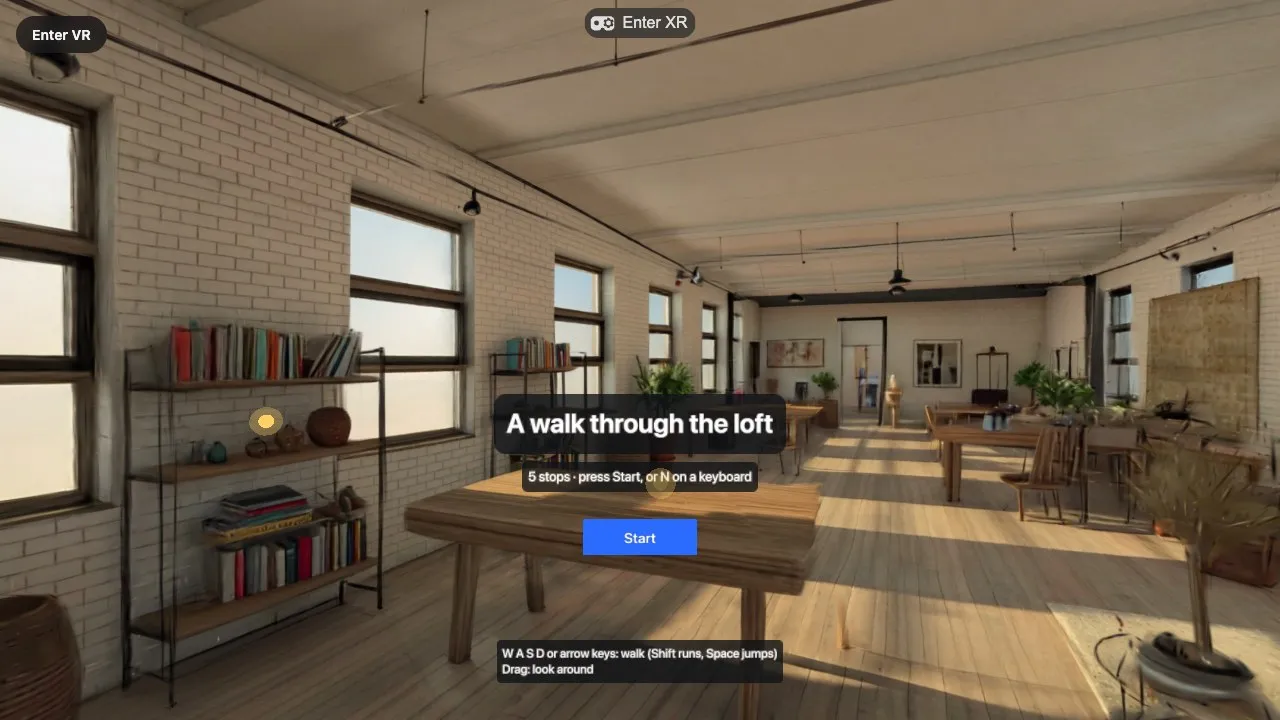
Each physics step, the template turns input into a wished movement and asks the controller how much of it the world allows. The capsule slides along walls, climbs ledges up to 0.3 m and follows the ground downhill.
In the headset the left thumbstick walks where the head looks, and the right one turns in 45° steps and teleports. Real steps in your room move the capsule too, so the world pushes back at walls.
Throwing
In World Game a ball is a dynamic body with a 5 cm radius and continuous collision detection on, so a fast throw does not pass through the thin shell of the collider.
In the headset, Grabbable keeps a held ball dynamic. It is pulled to the hand by setting its velocity each physics step, so it pushes other things and cannot be carried through the world. On release it gets the hand's speed over the last 80 ms, measured in real time so the throw does not depend on the frame rate.
On a flat screen a drag looks around, so a click throws. The click's ray is cast into the physics world, and the ball is launched so that its arc passes through the point it hit:
const time = Math.max(0.05, from.distanceTo(aim) / metresPerSecond)
speed.subVectors(aim, from).divideScalar(time)
speed.y += 0.5 * 9.81 * time // gravity is paid for up front
How the agent switches worlds
When you ask for a different place, the agent calls its generate_world tool with a name and a description. The tool asks for your approval, waits the few minutes the generation takes, and saves the files into public/worlds/<name>/. Then the agent changes one string:
<World name="greenhouse">
That is the whole switch for the world itself. What takes thought comes after it. Every world has its own furniture, so the agent reads the caption in world.json to learn what is there, uses heightAt or showCollider to find the surfaces, and moves what it had placed: the tour stops, the ledge, the targets, the scoreboard.
Read more
- Graspable now generates worlds with World Labs: what it costs and how to try it
- Spark: the renderer behind our splat templates
- Performance of Gaussian splats in WebXR: what we measured and what we chose
- Generated worlds, Templates and Credits in the documentation
Sources
- Rendering Marble SPZ files in third-party engines, Export file specs and Interactive world examples, World Labs
- SparkRenderer, Spark documentation
- Colliders, Rigid bodies and Character controller, Rapier
- react-three-rapier, pmndrs