Spark: the renderer behind our splat templates
What Spark is, why a Gaussian splat renderer that lives inside a normal three.js scene matters for a project an agent builds, what moving from Spark 0.1 to 2 changed, and how our templates set it up.
Michal Takáč 7 min read
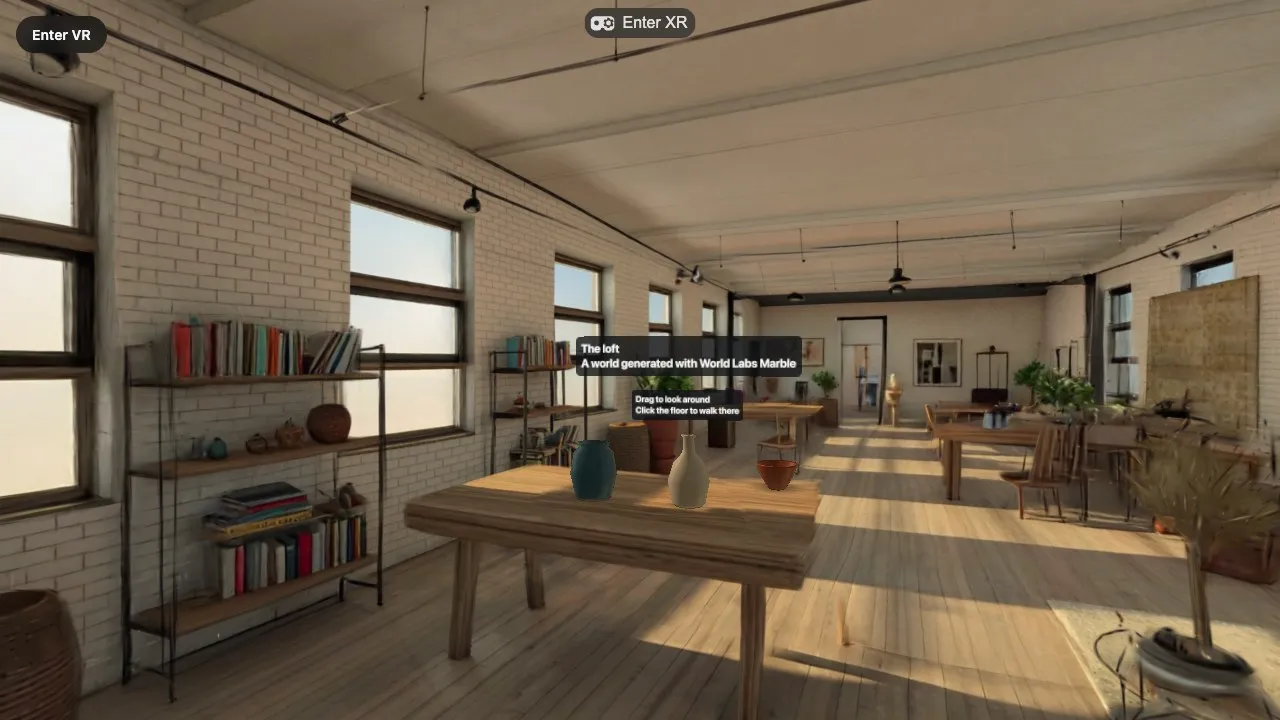
Our three world templates show places as Gaussian splats. The thing that draws them is Spark, an open-source splat renderer for three.js built by World Labs, published as @sparkjsdev/spark. This article says why we use it, what changed when we moved from version 0.1 to 2, and how the templates set it up.
If you want the background first, read Gaussian splats, explained.
What Spark is
Spark draws 3D Gaussian splats with WebGL2 inside a three.js scene. Two classes matter:
SplatMeshis a splat object. It derives fromTHREE.Object3D, so it has a position, a rotation and a scale, sits anywhere in the scene graph, and loads from a file withnew SplatMesh({ url }).SparkRendereris one object you add to the scene. It collects the splats of everySplatMesh, sorts them for the current view and draws them.
Spark's system design page describes the cycle. The renderer walks the visible scene graph and gathers all splats. Their distances from the viewpoint are read back from the GPU and sorted in a background worker. On the next render() call, all splats are drawn back to front in a single instanced draw call, and merged with opaque three.js geometry through the depth buffer.
Why "inside a normal three.js scene" matters
A Graspable project is a React Three Fiber project that an agent edits. The agent knows how to write meshes, materials, pointer handlers, physics bodies and @react-three/xr sessions. A splat renderer that needed its own canvas, its own camera or its own render loop would put the world outside everything the agent knows how to do.
With Spark the world is one more object in the scene:
- Splats and meshes in one picture. Opaque meshes write depth, and splats are tested against it. A vase on a table is hidden by a plant in front of it and hides the wall behind it, with no extra work.
- React Three Fiber. A
SplatMeshgoes into the scene like any three.js object, so the world can be a component with children. - WebXR. Spark renders through the same
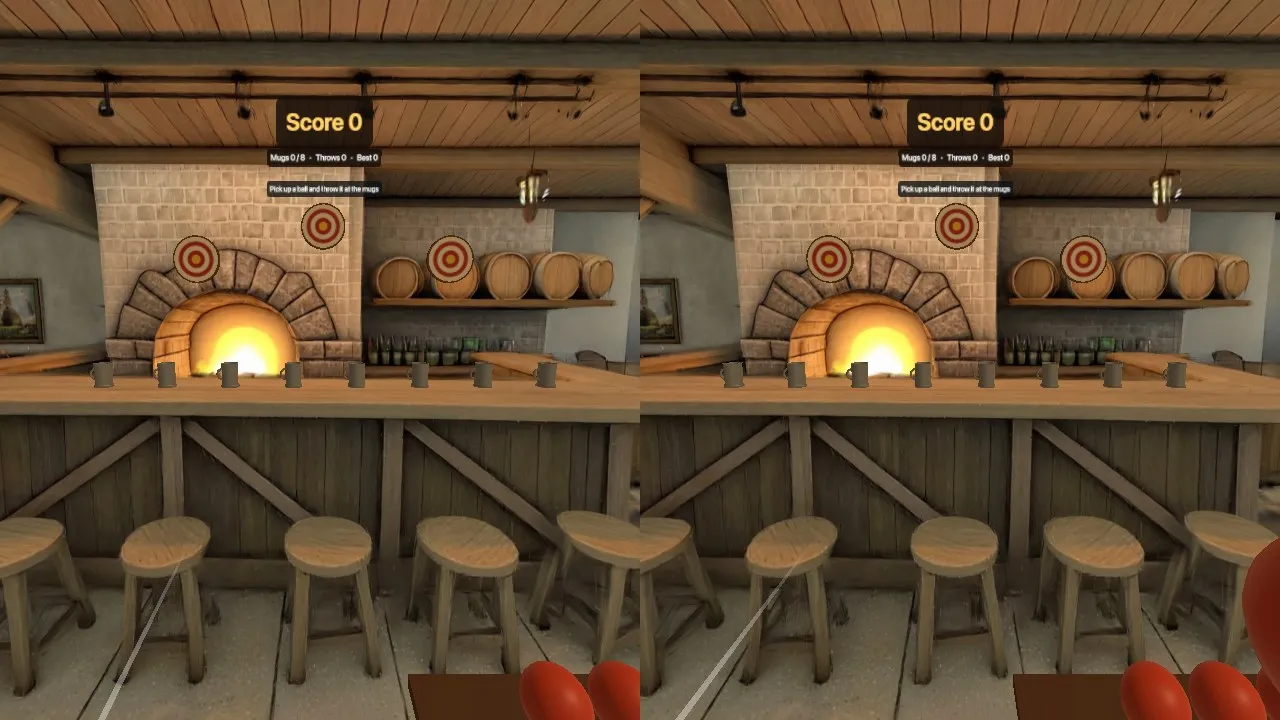
WebGLRendererthat three.js uses for a headset session.@react-three/xrstarts the session as usual, and the splats are there in both eyes.
There is one thing to remember when you add your own objects. Opaque meshes need nothing. Transparent ones, such as labels, glows and glass, need a renderOrder of 10 or higher and depthWrite={false} in our templates, or the splats are painted over them.
What moving from 0.1 to 2 changed for us
The earlier Splat World template used Spark 0.1. The three world templates now use 2.3.1. Spark's migration guide lists everything; these three changes are the ones that shaped our code.
A newer three.js. The guide names three.js r179 as the minimum, and the package declares three >= 0.180.0 as a peer dependency. Our world templates pin three 0.180.0. Our other templates are on 0.170.0.
The renderer is an object you create. In 0.1, Spark put a SparkRenderer into the scene for you. In 2 you create it and add it, or nothing is drawn:
const spark = new SparkRenderer({ renderer })
scene.add(spark)
This looks like a chore. It turned out to be useful, because the renderer's settings now have one obvious home, and because the rule for the agent is simple to state: exactly one. With none, no splat is visible. With two, every splat is sorted and drawn twice.
Level of detail. This is the main feature of Spark 2. Any splat file can be turned into a tree in which the original splats are the leaves and each level above is a coarser version. Every frame, Spark picks the best set of splats from the tree for the current viewpoint, within a fixed budget. The level-of-detail page gives the default budgets: 500,000 splats in a Quest, 750,000 in a Vision Pro, 1 million on Android, 1.5 million on iOS and 2.5 million on a desktop computer. lodSplatScale multiplies the budget.
Turning it on is one flag, new SplatMesh({ url, lod: true }). The tree is then built in a background worker when the file loads; the docs give 1 to 3 seconds per million input splats. Spark can also build the tree ahead of time and stream it from a .rad file. We do not use that yet: our worlds are 500,000 splats and are read from the project's own disk.
Two smaller changes: sorting options were reduced to one switch, sortRadial, which is on by default and sorts by distance from the viewpoint so the order stays stable when the head turns. And Spark's VRButton was replaced by its own SparkXr helper. We use neither, because @react-three/xr already owns the session.
How the templates set it up
Three small files, the same in all three templates.
lib/spark.js holds every setting in one place (comments shortened here):
/** <Canvas gl={GL}>: multisampling does nothing for splats and costs a lot, so it is off. */
export const GL = { antialias: false, powerPreference: 'high-performance' }

/** <Canvas dpr={DPR}>: flat screens draw at most 1.5 device pixels per CSS pixel. */
export const DPR = [1, 1.5]

/** createXRStore({ ...XR_OPTIONS }): the strongest fixed foveation. */
export const XR_OPTIONS = { depthSensing: false, foveation: 1 }

export const SPARK = { enableLod: true, lodSplatScale: 1 }

/** How far from its centre a Gaussian is drawn, in standard deviations. */
export const MAX_STD_DEV = { flat: Math.sqrt(8), xr: Math.sqrt(5) }
components/Spark.jsx creates the one renderer and hands it to React Three Fiber as a primitive:
import { useEffect, useState } from 'react'
import { useFrame, useThree } from '@react-three/fiber'
import { SparkRenderer } from '@sparkjsdev/spark'
import { MAX_STD_DEV, SPARK } from '../lib/spark'

export function Spark() {
  const gl = useThree((state) => state.gl)
  const [spark, setSpark] = useState(null)

  useEffect(() => {
    const renderer = new SparkRenderer({ renderer: gl, ...SPARK })
    renderer.name = 'spark renderer'
    setSpark(renderer)
    return () => renderer.dispose()
  }, [gl])

  useFrame(() => {
    if (spark) spark.maxStdDev = gl.xr.isPresenting ? MAX_STD_DEV.xr : MAX_STD_DEV.flat
  })

  return spark ? <primitive object={spark} /> : null
}
maxStdDev is switched per frame because Spark's performance guide recommends Math.sqrt(5) for VR and the default Math.sqrt(8) otherwise.
components/World.jsx creates the splat. It is made once, in an effect, never in render and never per frame. The core of it:
const full = new SplatMesh({ url: info.splat, lod, raycastable: false })
const small = preview && info.preview ? new SplatMesh({ url: info.preview, raycastable: false }) : null
if (small) holder.add(small)
full.initialized.then(() => {
  if (small) { holder.remove(small); small.dispose() }
  holder.add(full)
})
The small 100,000-splat file is shown at once. When the 500,000-splat file has loaded and its level-of-detail tree is built, the two are swapped. Pointer rays never test the splat (raycastable: false): what is solid is decided by the collider mesh, which is the subject of How our world templates work.
In App.jsx it all comes together:
<Canvas flat gl={GL} dpr={DPR} camera={{ fov: 65, near: 0.05, far: 200 }}>
  <XR store={store}>
    <Spark />
    <Physics gravity={[0, -9.81, 0]} timeStep={1 / 60} interpolate>
      <World name="loft">
        {/* everything that lives in the world goes here */}
      </World>
    </Physics>
  </XR>
</Canvas>
One more use: light from the splat
A splat cannot be lit, but it can light other things. SparkRenderer.renderEnvMap renders the splats around a point into a cube map and filters it for image-based lighting. Our WorldLight component calls it once after the world has loaded and sets the result as scene.environment. Meshes with a standard material then take on the colours of the place.
What we would tell someone starting out
- Add exactly one
SparkRenderer, and create theWebGLRendererwithantialias: false. - Create each
SplatMeshonce. Do not clone a world to "duplicate" it. - Turn level of detail on and leave the budget to Spark's per-device default until you have measured on the device.
- Do not add post-processing passes. The splats are already the expensive part.
The numbers behind those choices are in Performance of Gaussian splats in WebXR: what we measured and what we chose. To try the templates, see Templates and Generated worlds; the announcement is here.
Sources
- Spark and its source repository, World Labs
- System design, New features in 2.0, 0.1 → 2.0 migration guide, Getting started with level of detail, SparkRenderer, SplatMesh and Performance tuning, Spark documentation
- Interactive world examples, World Labs